
Reprise vs Walnut: Demo Platforms Compared (2026)
Prompt it. Publish it. Nothing to wait for. Reprise is the agent-native demo platform: live data in your real product, interactive product tours, mobile demos and application clones, built by the native AI agent or your own agent and connected to every app you use. Compared feature by feature with Walnut.
Reprise vs Walnut
| Criterion | Reprise | Walnut |
|---|---|---|
| AI that builds the demo | ||
| Agent creates new data injection points from a prompt | ✓ "Change the data on this page" | ✗ Not offered |
| Agent sets up your clone: loading, login and state | ✓ "Make this page load" | ✗ Not offered |
| Advanced tour edits from a prompt | ✓ HTML, CSS and JS from a prompt | ◐ Metered by AI credits |
| AI builds a Demo Flow from one prompt | ✓ Agent builds the flow | ◐ Accelerate plan and up |
| AI writing for steps and guides | ✓ Every plan | ◐ Metered by AI credits |
| Your own agent | ||
| MCP server | ✓ 100+ tools on all plans | ◐ Read-only analytics, self-hosted |
| Build tours, data and clones from your own agent | ✓ Every product through MCP | ✗ Not offered |
| Platform admin from your agent (folders, audit logs) | ✓ Every plan | ✗ Not offered |
| Custom analytics through MCP | ✓ Tours, data and clones | ◐ Data API plans only |
| AI that presents the demo | ||
| AI voiceovers and video avatars | ✓ Every plan | ◐ Accelerate plan and up |
| AI translation | ✓ Every plan | ◐ Scale plan or add-on |
| AI avatar led demos | ✓ Built in | ◐ Paid add-on (Buyer Xpert) |
| One platform | ||
| Live data, tours, clones, flows and sales rooms in one app | ✓ One app | ◐ Captured demos and rooms only |
| Getting started | ||
| Time to a production-ready demo | ✓ Immediate, self-serve | ◐ About 2 weeks, with onboarding |
| Your team turns on every feature | ✓ No vendor tickets | ◐ Add-ons and rep-issued API keys |
| AI building and engineering depth | ✓ Simple start. Full depth. | ✓ No-code editor |
| Data Injection | ||
| Inject prospect data into your live app during a call | ✓ Every plan | ✗ Not offered |
| AI-generated data for charts, tables and KPIs | ✓ One prompt fills every screen | ✗ Not offered |
| Saved prospect datasets, reused across demos | ✓ Every plan | ✗ Not offered |
| Product Tours | ||
| Interactive product tours | ✓ Every plan | ✓ Every plan |
| HTML capture and editing | ✓ Every plan | ◐ Visual edits only |
| Custom HTML editing | ✓ Every plan | ✗ Not listed |
| Custom CSS and JavaScript injection | ✓ Every plan | ✗ Not listed |
| Mobile demos | ✓ Every plan | ✓ Mobile-friendly demos |
| Prospect personalization (name, logo, content) | ✓ Every plan | ◐ Accelerate plan and up |
| Presenter notes for live calls | ✓ Every plan | ✓ Presenter notes |
| Clones | ||
| Clone of your app's core functionality | ✓ Enterprise plan | ✗ Not offered |
| Offline clone player | ✓ Enterprise plan | ✗ Not offered |
| Data Injection on your clone | ✓ Enterprise plan | ✗ Not offered |
| Demo Flows and Sales Rooms | ||
| Branching journeys with demos, video and forms | ✓ Teams plan and up | ✓ Playlists on every plan |
| Sales room with shared plan, conversation and history | ✓ Teams plan and up | ◐ Scale plan or add-on |
| Agent-native | ||
| Works with every app in your stack | ✓ Every plan | ◐ Fixed connector list |
| Buying committee and audience insights | ✓ Every plan | ✓ Accelerate plan and up |
| Analytics and security | ||
| Demo engagement analytics | ✓ User, session and account | ✓ Every plan |
| HubSpot, Salesforce and Marketo integrations | ✓ Every plan | ✓ Every plan |
| SSO | ✓ Growth plan and up | ✓ Accelerate plan and up |
| SOC 2 Type II | ✓ Certified | ✓ Certified |
| ISO 27001 | ✓ Certified | ✗ Not listed |
✓ Included · ◐ Limited, add-on or higher plan only · ✗ Not offered
What each platform includes, based on each vendor’s published product, pricing, documentation and security pages, October 2026.
Reprise vs Walnut: 5 things to know
Reprise is a demo platform. Walnut builds demos from captured screens.
- More than captured demos. Walnut builds demos and rooms from captured screens. Reprise adds live Data Injection and Clones, in the same app as Product Tours, Demo Flows and Sales Rooms.
- One prompt, not one chart at a time. Walnut edits chart values on captured screens. Reprise Data Injection fills every screen of your live app from one prompt.
- A working clone, not linked screens. Walnut sandboxes link captured screens together. Reprise Clones reproduce your application’s core functionality down to the code.
- An agent that builds, not one that edits. Walnut’s AI edits demos you already captured. Reprise’s native AI agent sets up data, clones and full Demo Flows from a prompt.
- A demo today, not in two weeks. Walnut quotes about two weeks to a first personalized demo, with onboarding. With Reprise you start free and the prompt ends with a production-ready demo.
Last updated: October 2026. Feature details are based on each vendor’s published product information.
One platform, one AI agent, nothing to juggle
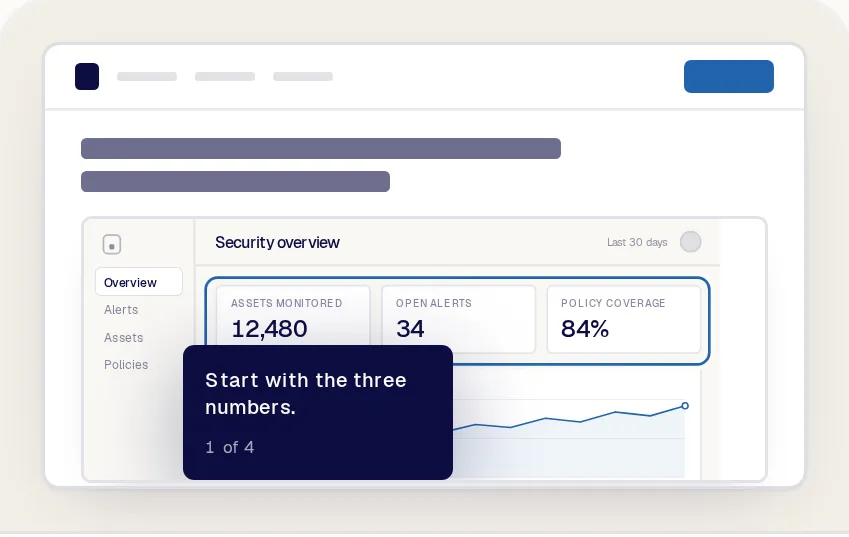
Reprise was built as one platform. Data Injection, Product Tours, Clones, Demo Flows and Sales Rooms live in one app with one login, one library and one AI agent, so your team learns one tool and every demo tells the same data story. Your live app, an HTML tour and an application clone are three ways to demo, not three tools to manage.
An agent that builds, not one that edits
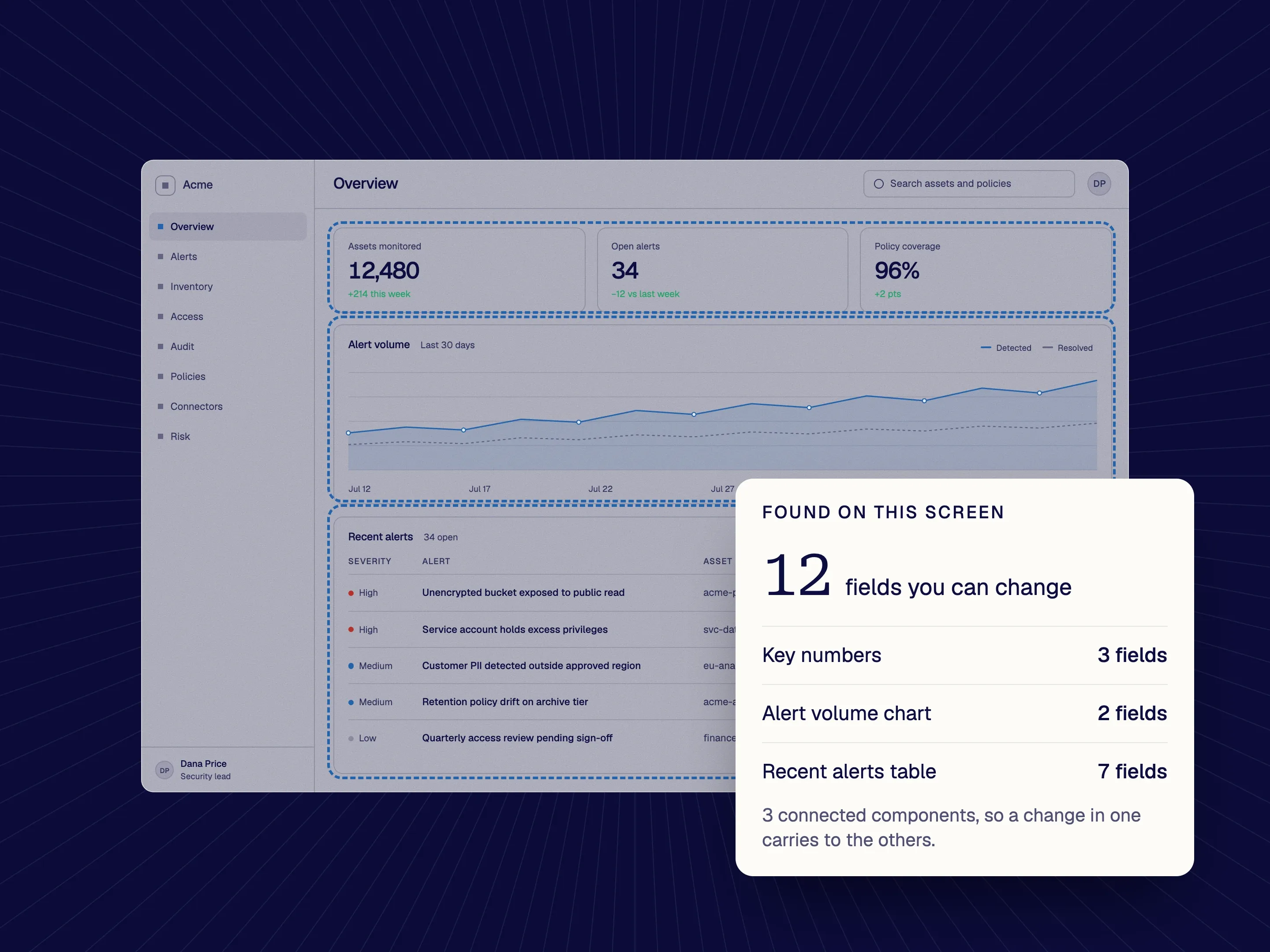
Most demo AI fills in data or rewrites text in a demo someone already set up. Reprise’s native AI agent sets up the demo itself: new data injection points, clone setup, custom JavaScript and full Demo Flows, from a prompt. Start with a prompt and go as deep as your demo needs: sales engineers get full engineering control over how the demo works with your app, and the same agent handles the heavy lifting alongside them. Your demo keeps up with every release, with no vendor tickets.
AI avatar led demos, built in

Reprise’s AI Tour Guide leads the demo for your buyer. It answers questions by chat or voice, navigates to the right screen and highlights the feature being discussed, in the buyer’s language. It runs on the same platform as your tours and data, so there is no separate product to connect.
Build demos from the AI your team already uses
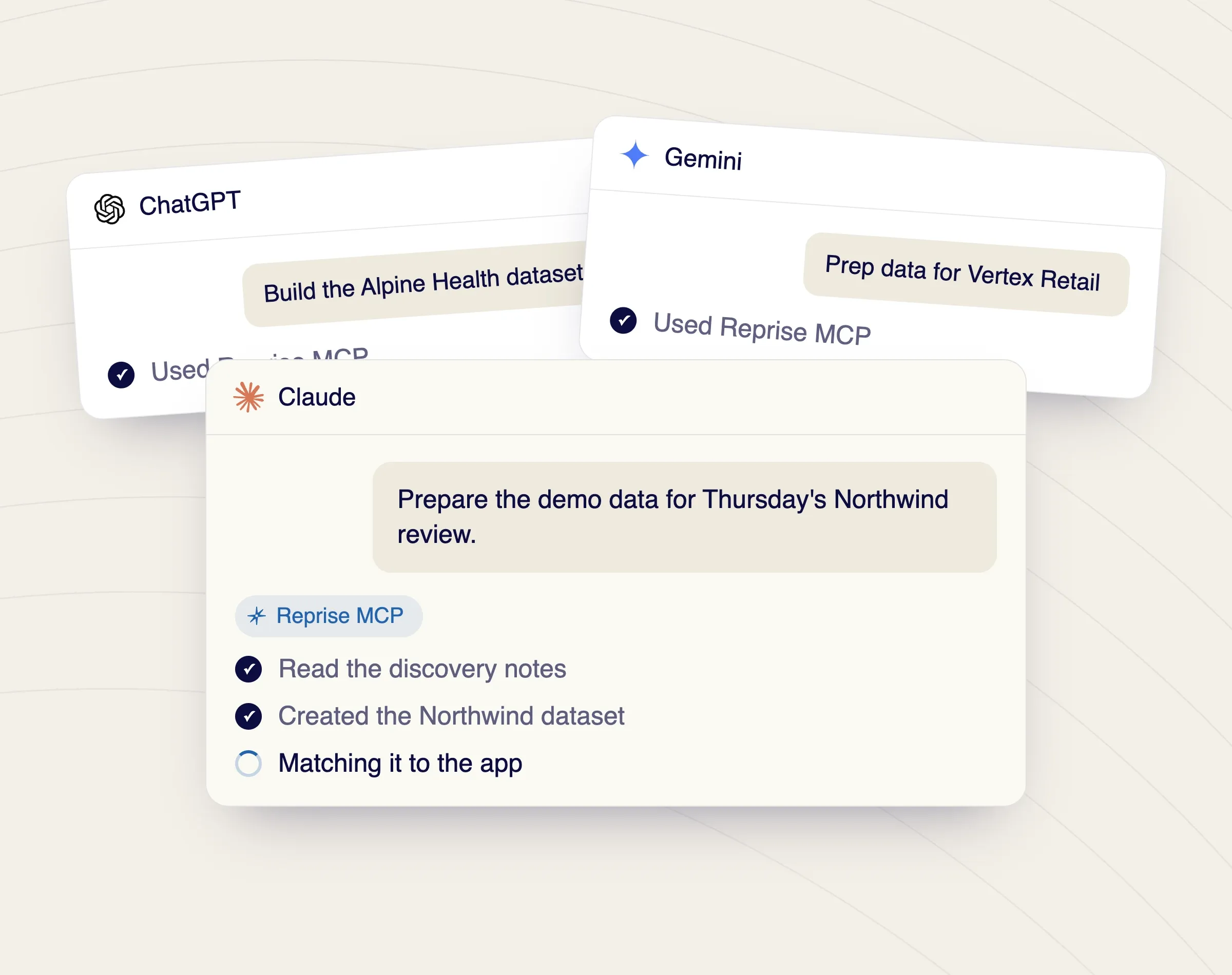
Claude, ChatGPT, Copilot and other MCP clients connect to Reprise and build demos in conversation. More than 100 tools cover Product Tours, Data Injection, Clones and platform administration such as folders and audit logs, on all plans. One conversation can capture an app, swap in a prospect’s data, rebrand the tour and return a launch link. Walnut’s MCP reads demo analytics; the Reprise MCP builds across every product.
Nothing to wait for
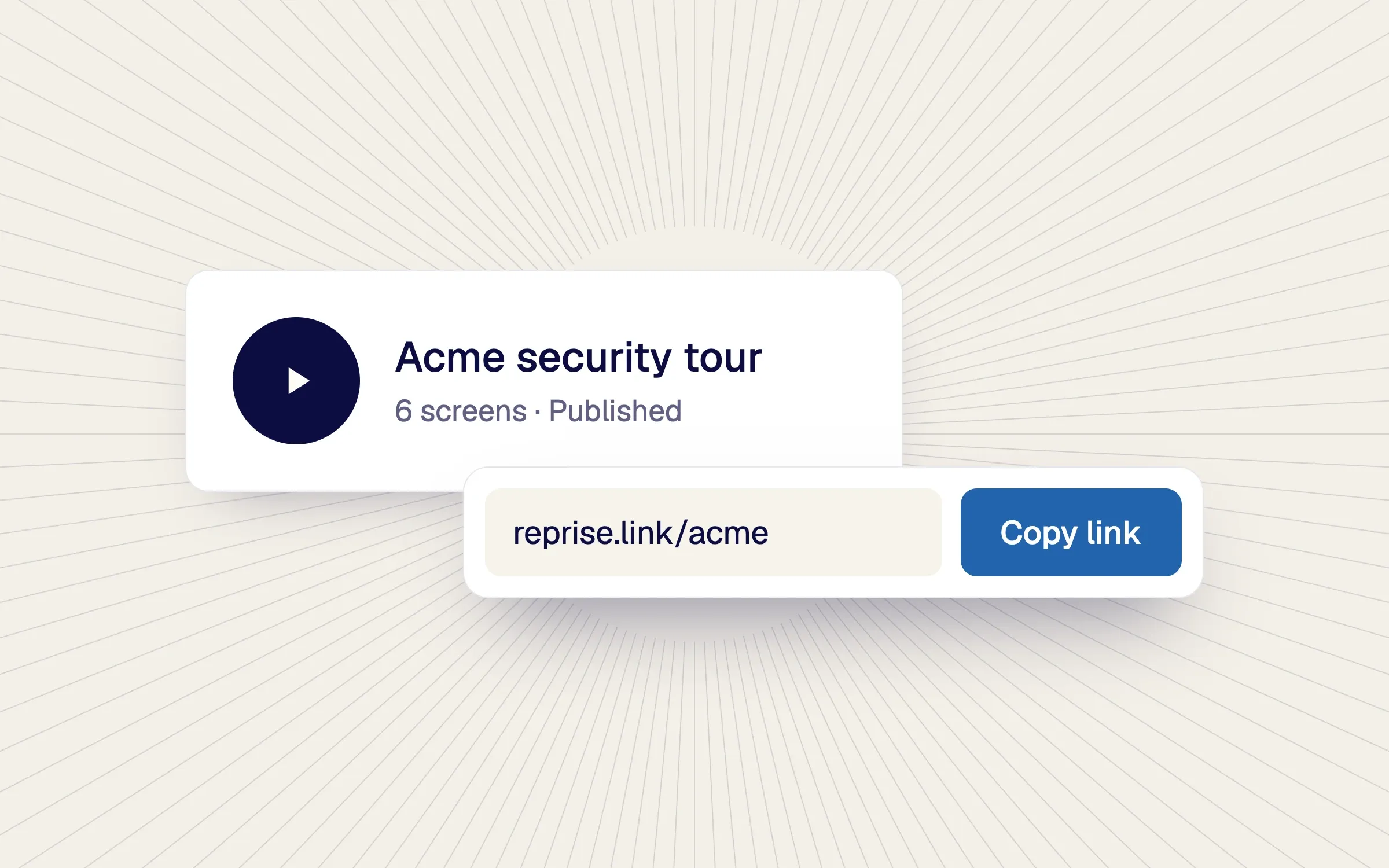
Start free, describe the demo to the native AI agent or to your own AI through the Reprise MCP, and the prompt ends with a production-ready demo you can share. When a demo needs more depth, the agent works alongside your sales engineers on the integrations, API calls and configuration. No implementation queue and no vendor tickets.
Prospect-specific data in your live app, from one prompt
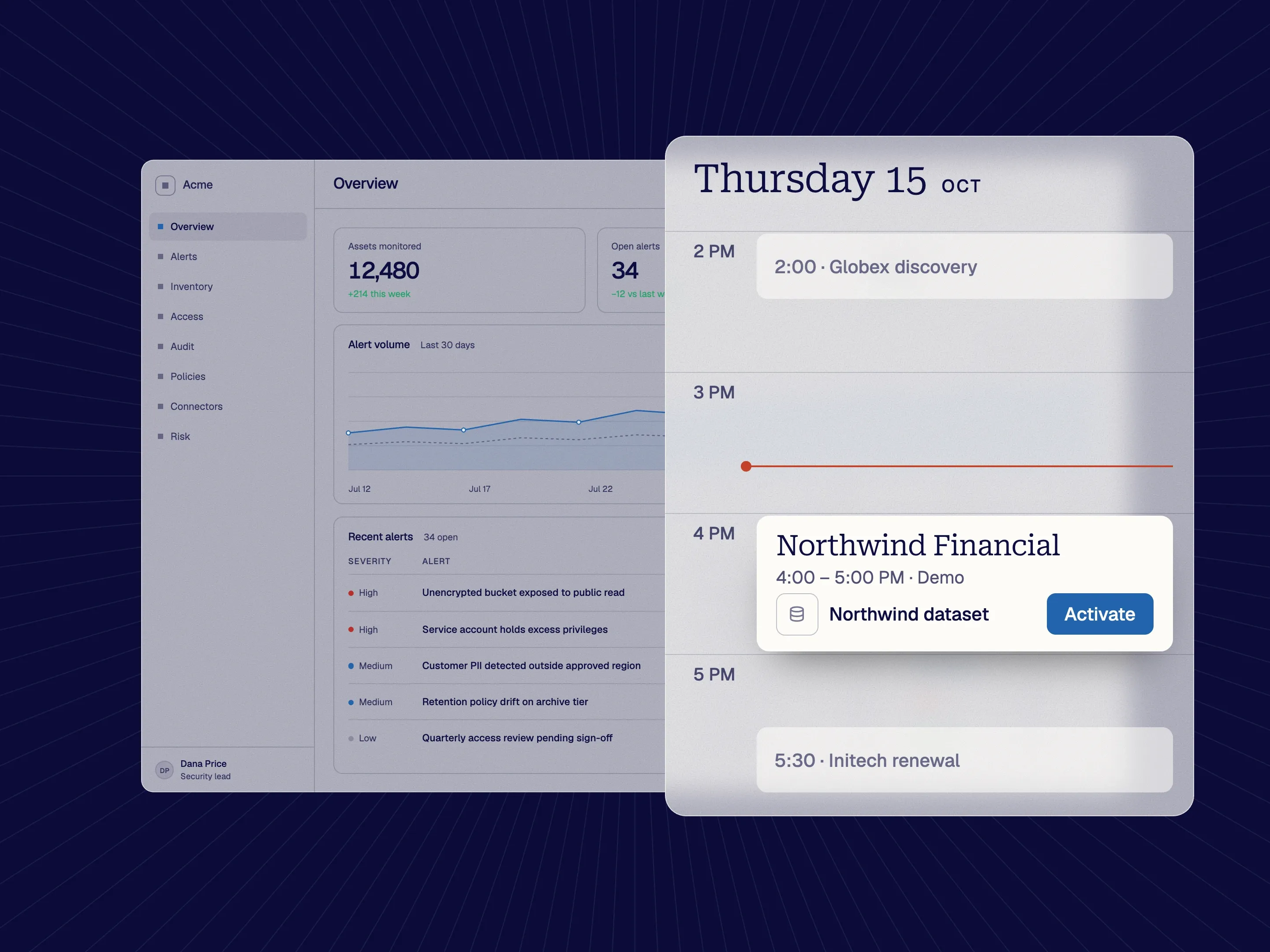
Tell the native AI agent what you need, like “make me a dataset for my 4pm call with Northwind,” and one prompt fills charts, tables, KPIs, hovers and drill-downs across your live app. Saved datasets switch industries in one selection, one change updates every connected chart and table, and real-time features like AI chat are covered too. Nothing is ever written to your backend. Walnut edits chart values on captured screens one by one; with Reprise, the whole data story changes in your real product, and the same dataset also runs on your Clones.
Product tours and mobile demos, captured as editable HTML
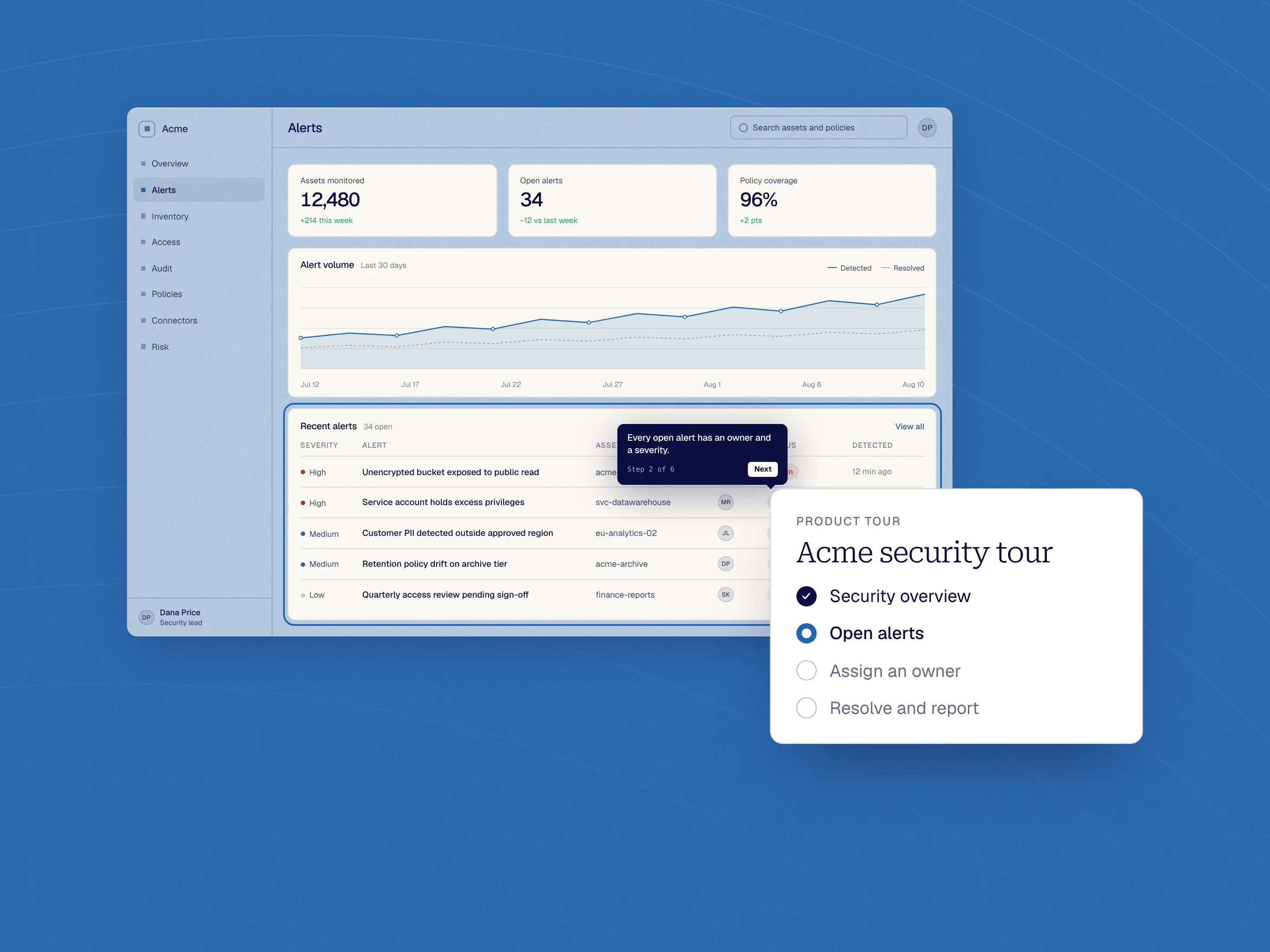
Capture your product as fully editable HTML, on every plan, including tours sized for a phone with device frames built into the editor, the preview and the published demo. Add guides, branching, personalization variables and embedded video and audio. AI voiceovers and video avatars give any tour a presenter, and AI translation localizes it for every region. Share by link or embed the tour on your website.
Clones, not linked screenshots
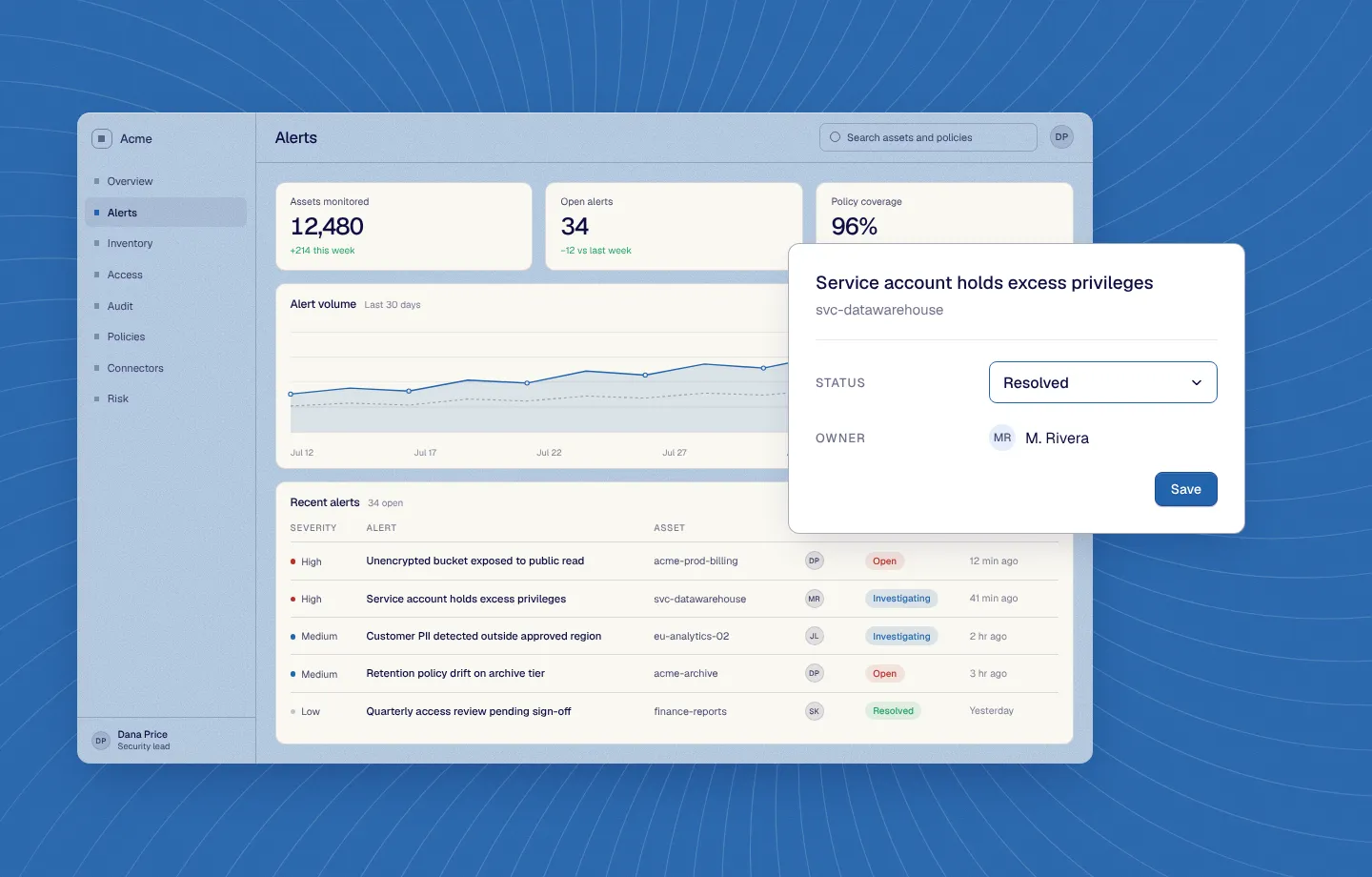
Clones reproduce your application’s core functionality down to the code, with guides placed anywhere inside the clone. Buyers click, fill in forms and complete real workflows, and every viewer starts from a clean demo. Clones run independently of production and work offline. A sandbox built from captured screens links static pages together; a Reprise clone is your working app, in the same platform as your live data, tours and flows.
Branching demo journeys for every buyer
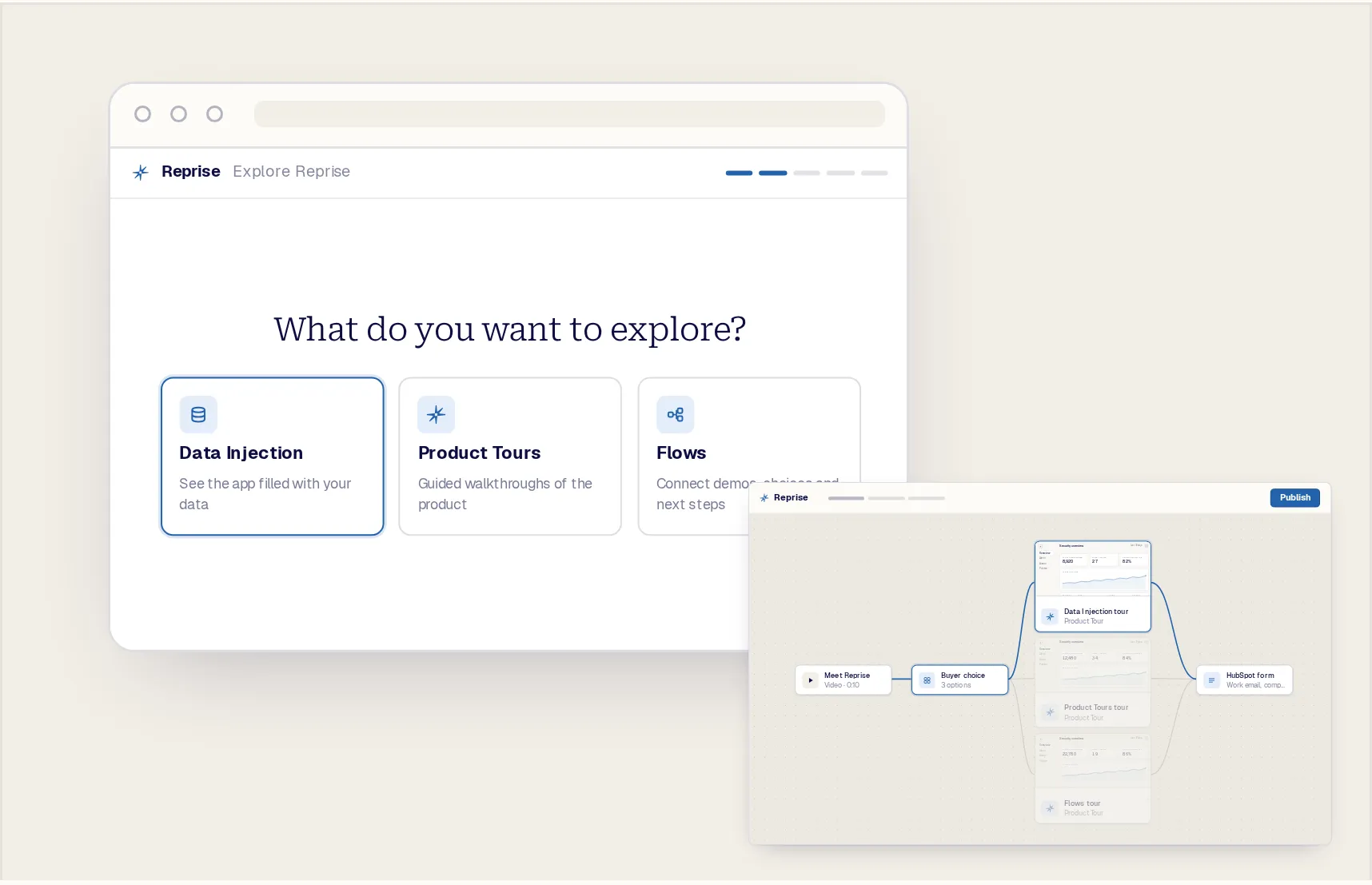
Demo Flows connect product tours, videos, files, questions and lead forms behind one link. Viewers answer a question or rate what matters to them on a priority grid, land on the right demo and see a clear next step. Describe the journey to the native AI agent and it builds the whole flow from one prompt. Embed a Flow on your website or send it after a call.
Digital sales rooms built around the demo
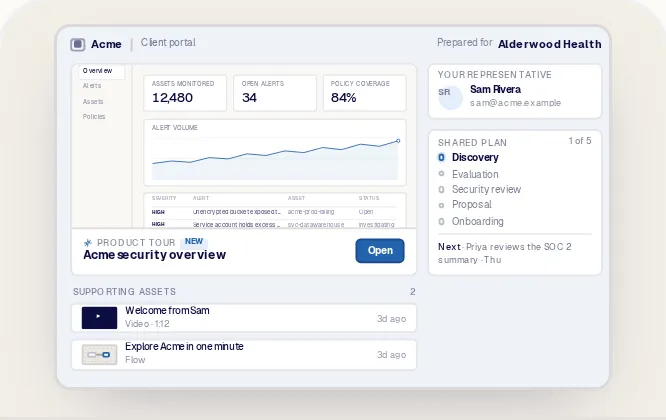
Give every deal a branded Sales Room with demos, Demo Flows, content, a shared plan, buyer conversations and room history. Buyer questions reach your team in Slack, and the whole buying committee works from one link, built around the buyer rather than a list of demos.
Your agent is the integration layer
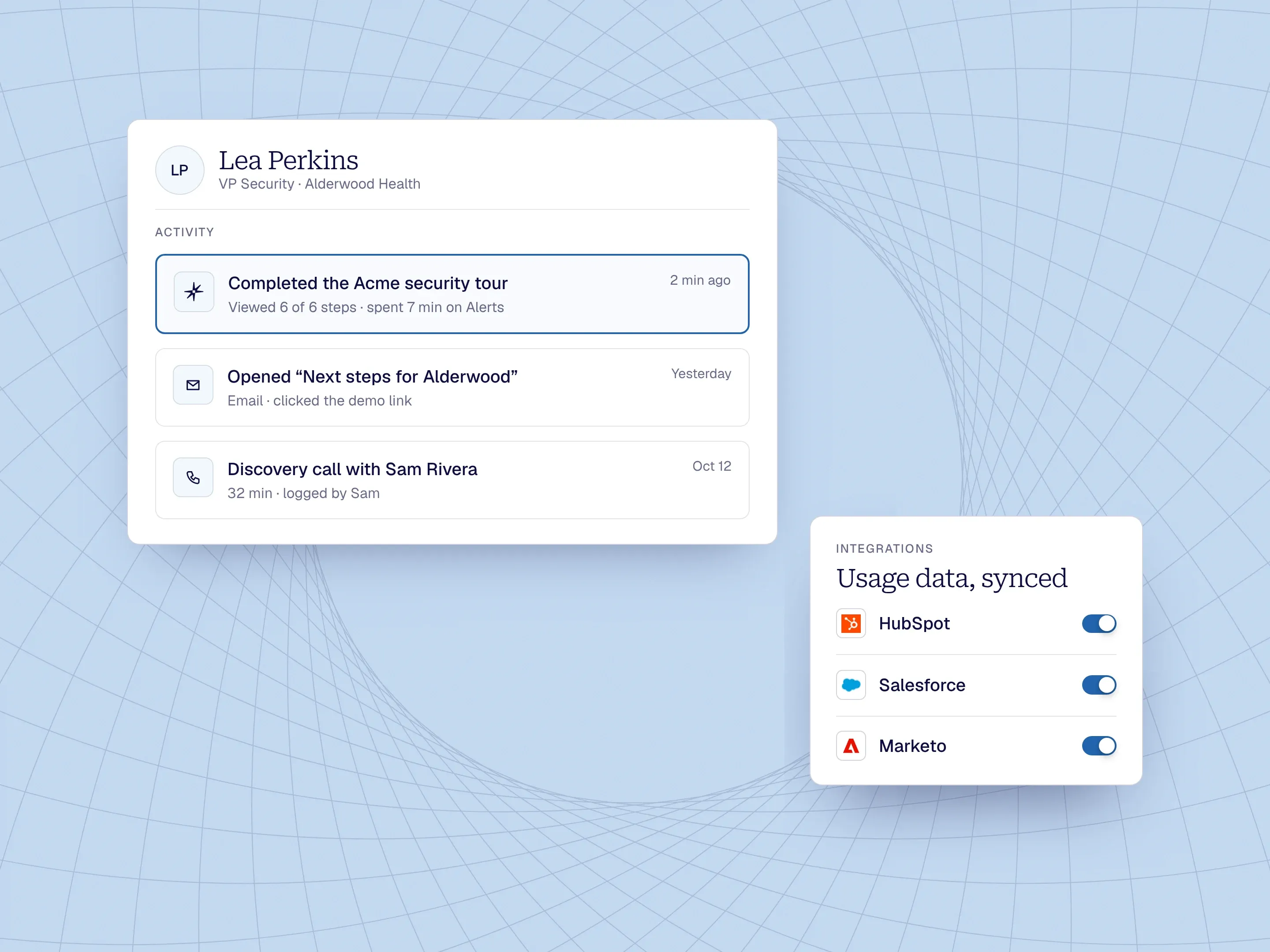
Reprise is agent-native. The Reprise MCP connects Reprise to every app your team uses, on every plan, and to every app you add next, the same day. One conversation can turn a call into a tailored tour, add the link to an outreach step and report engagement back. Native CRM, marketing automation and analytics integrations come built in, and engagement is tracked by user, session or account.
Enterprise-grade security, built in
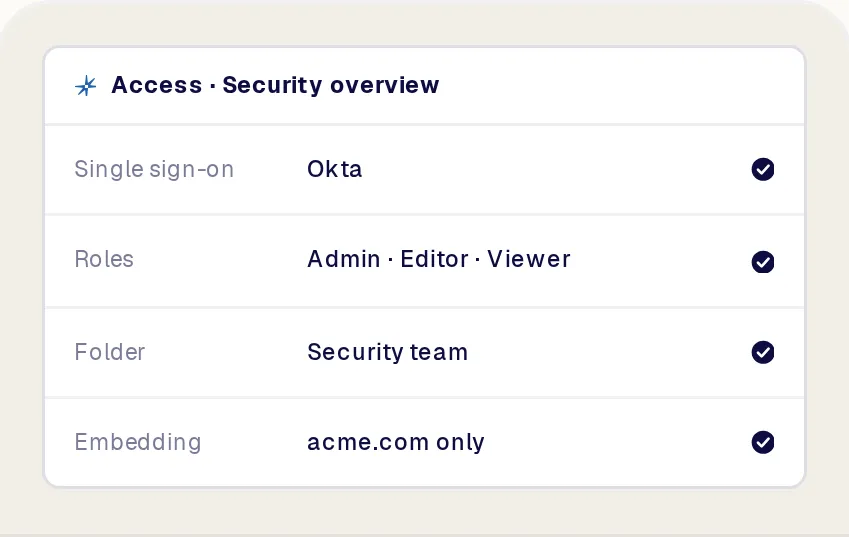
Reprise is SOC 2 Type II and ISO 27001 certified. Role-based access control comes with every plan and SSO is available from the Growth plan and up, along with folder-level permissions, demo approvals, version history and delivery through a dedicated global CDN.
Reprise or Walnut: which should you choose?
Choose Reprise if you want one platform for every demo: tours and mobile demos on your website, prospect data in your live app, application clones for hands-on evaluations, and Demo Flows and Sales Rooms that carry every buyer to the next step, all built by an AI agent from one prompt. Whether you are picking your first demo platform or outgrowing the one you have, you can start free.
Walnut is limited to demos, sandboxes and playlists made from captured screens. Reprise gives marketing the same embeddable tours, branching journeys and lead forms on the website, then goes further: live data in your real product, working application clones, and an agent that builds and manages all of it.
Sources: Walnut vs Reprise page · Walnut pricing · Walnut MCP server · Walnut sandbox demos · Walnut mobile demos · Reprise mobile demos · Reprise presenter notes · Reprise guides in a clone
Frequently asked questions
What is the difference between Reprise and Walnut?
Walnut builds guided demos, sandboxes and playlists from captured screens. Reprise is one AI demo platform that also puts prospect data into your live app, clones your application and delivers every demo through Demo Flows and Sales Rooms. Reprise Data Injection fills your real product with a prospect's data from one prompt. Product Tours capture your product as editable HTML, including mobile demos, and Clones reproduce your application's core functionality down to the code. The native AI agent and the Reprise MCP build and manage every part of it. At the end of the prompt you have a production-ready demo, with nothing to wait for.
Is Reprise easy to use?
Yes. Start with a prompt and go as deep as your demo needs. Reprise's native AI agent supports you throughout, with full engineering control when you need it. Marketing and sales teams can describe the demo they want, and the agent builds it. No engineering knowledge is needed to get started. Sales engineers and presales teams can control how the demo works with their app, including integrations, API calls and configuration. The same agent handles the heavy lifting alongside them, and your own agent can work the same way through the Reprise MCP.
Does Reprise use AI to create demos?
Yes. Reprise AI is three capabilities: the native AI agent builds demos, the AI Tour Guide leads demos for buyers, and the Reprise MCP lets your own agent build and manage everything in Reprise. The native AI agent comes with every plan and works across Product Tours, Data Injection, Clones and Demo Flows, so one prompt can produce a tour, a prospect dataset or a full multi-asset journey. The AI Tour Guide answers buyer questions by chat or voice, navigates to the right screen and replies in the buyer's language.
Can Reprise personalize demos for every prospect at scale?
Yes. One prompt to the native AI agent fills charts, tables, KPIs and drill-downs with a prospect's data, in your live app or in a tour. Saved datasets switch industries in one selection and are reused across demos, and personalization variables carry names, logos and copy across every screen. Learn more about Data Injection. Your own agent can do the same through the Reprise MCP, building a tailored demo for every account you work.
Is Reprise only for live sales calls?
No. Reprise covers the whole funnel, from the website to the signed deal and onboarding. Marketing embeds Product Tours, mobile demos and Demo Flows with lead forms on the website. Sales and presales use Data Injection in the live app and Clones for hands-on evaluations. Sales Rooms give the buying committee demos, content, a shared plan and conversation in one link, and customer success reuses the same tours for onboarding.
Does Reprise work with the rest of my sales and marketing stack?
Yes. Reprise is agent-native: the Reprise MCP connects Reprise to every app your agent uses, on every plan. Every app you add next works the same day. One conversation can turn a call into a tailored tour, add the link to an outreach step and report engagement back. Native CRM, marketing automation and analytics integrations come built in, and engagement is tracked by user, session and account.
What analytics does Reprise provide?
Reprise tracks demo engagement by user, session and account on every plan, so you see who viewed what, for how long and what they did. Through the Reprise MCP your agent can read the same data and build any custom report, such as grouping viewers by account to map the buying committee. Engagement syncs to your CRM and marketing automation, so sales and marketing work from the same signals.
Does Reprise clone applications?
Yes. Clones reproduce your application's core functionality down to the code, on the Enterprise plan. Buyers click, fill in forms and complete real workflows, every viewer starts from a clean demo, and clones run independently of production and work offline. Clones sit in the same platform as your tours, data and flows, and the same prospect dataset runs on your live app and your clone.
Is Reprise secure enough for enterprise teams?
Yes. Reprise is SOC 2 Type II and ISO 27001 certified. Role-based access control comes with every plan, and SSO is available from the Growth plan and up, along with folder-level permissions, demo approvals and version history. Data Injection never writes to your backend, so production data stays untouched, and Clones run independently of production. Explore security.