

Set your sellers up for success with a demo environment that tells the right story, every time. Templatize your best demo flows and talk tracks so your reps are always ready to go without pulling in engineering resources on every call.

Set your sellers up for success with a demo environment that tells the right story, every time. Templatize your best demo flows and talk tracks so your reps are always ready to go without pulling in engineering resources on every call.
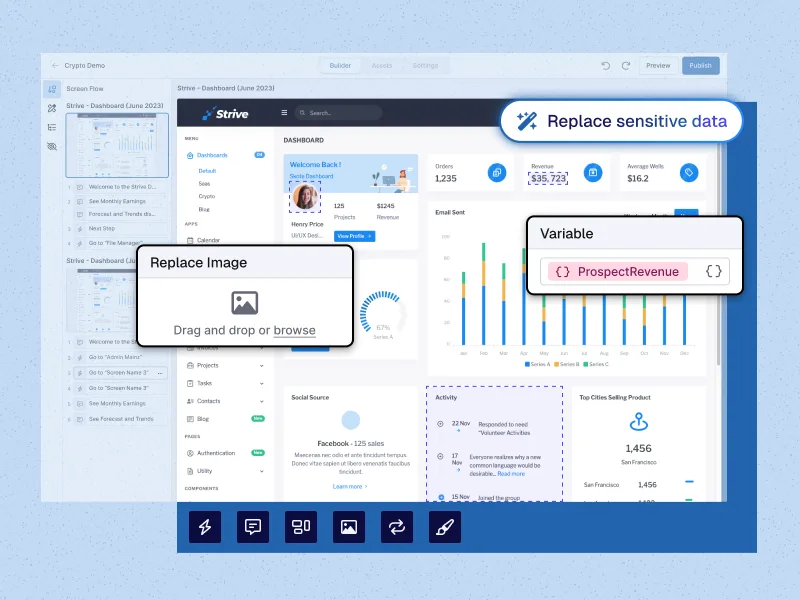
Decrease time-to-value by letting your prospects see themselves in your product from the very first call. Customize by vertical, use case, market segment, and more.
Decrease time-to-value by letting your prospects see themselves in your product from the very first call. Customize by vertical, use case, market segment, and more.
Show off what makes your product special. Live demos with Reprise contain all the “aha moments” of your full, interactive product because it is your full product.
Two ways. Data Injection fills your real application with prospect-specific data during the call. Application Clones give you a standalone copy of your app's core functionality to demo from.
Pick the one that fits the call, or use both: datasets can also be injected into a clone.
No. Data Injection changes what your app shows during the demo, not the data behind it.
Turn it off after the call and the app shows its real data again.
Yes. Switch to another dataset and the app shows a different customer, vertical or use case in place.
That makes it easy to answer "what would this look like for us?" on the spot.
Use an Application Clone when the live app is unstable, shared by many reps, hard to reset, or unavailable, for example at an event with no internet.
A clone runs separately from your live application and can be reset to its starting state in one click after every demo.
One prompt can fill every screen with prospect-specific data, using the native AI agent or your own assistant through the Reprise MCP.
You can also edit text, numbers, charts and tables by hand, so the data says exactly what you need.
Yes. SEs build and approve the demo environments once, and reps run them from a shared library, ready for any stage of the deal.
That keeps presales time for the work only presales can do.
Yes. Each presenter's session is separate, and records created during one demo stay in that browser tab.
Two people playing the same dataset never see each other's changes.
Capture the demo you just gave into a Product Tour and send it as one link, or share it in a Sales Room.
Reprise analytics then show who opened it and which screens they spent time on.
