
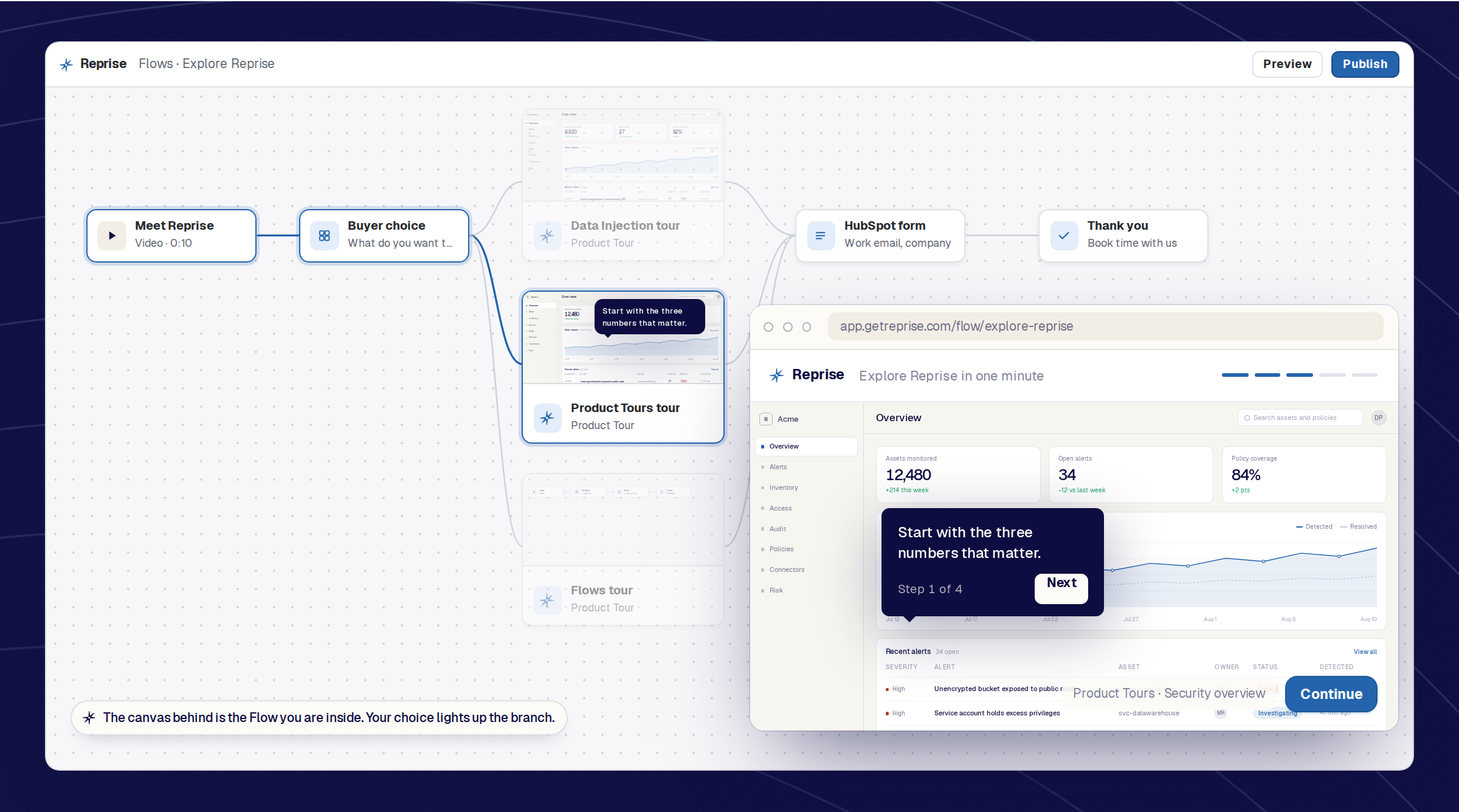
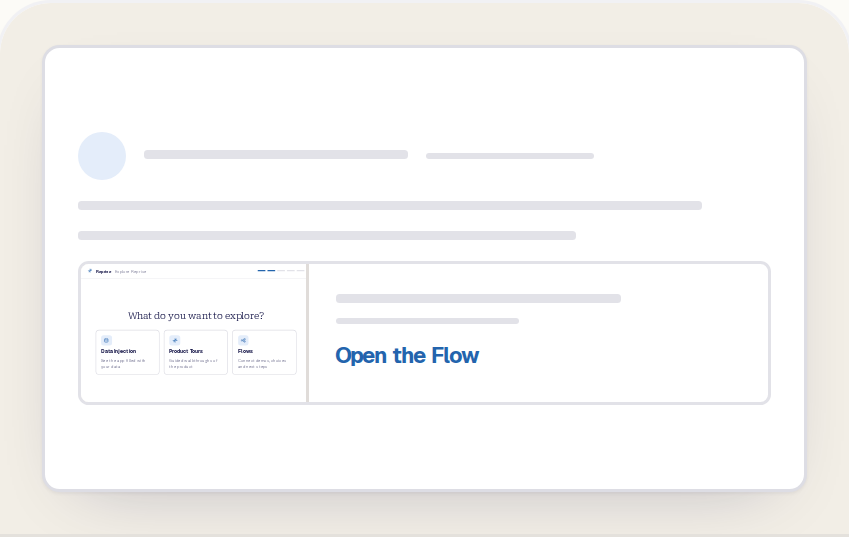
This is a Reprise Flow. Pick what you want to explore and the path changes; pick again at the end to see a different one.
A Reprise Flow connects demos, videos, buyer choices, forms, and next steps into one personalized experience.
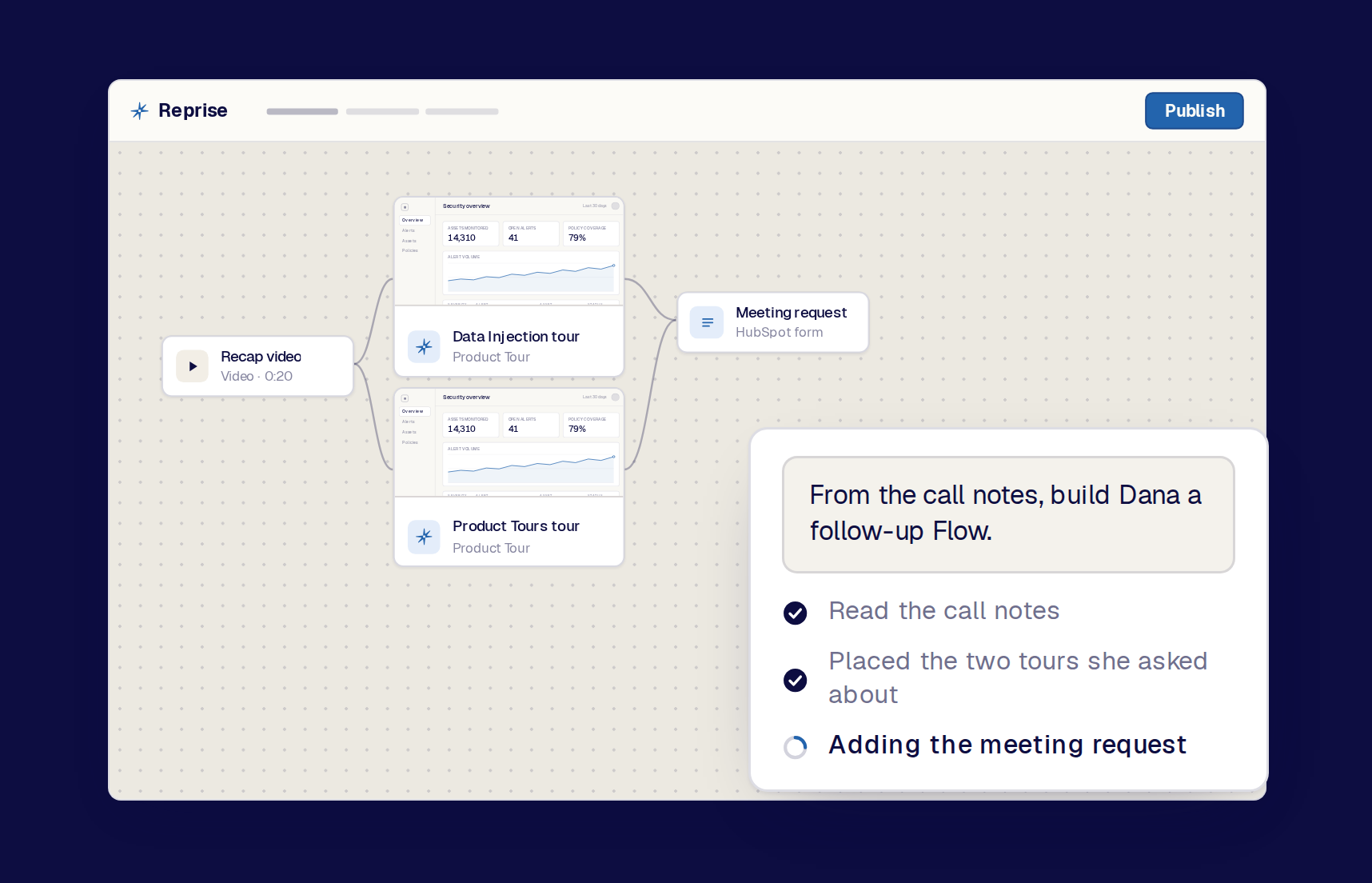
Tell the agent what the experience should do and which approved assets to use. The canvas appears, and the buyer journey plays exactly as drawn.
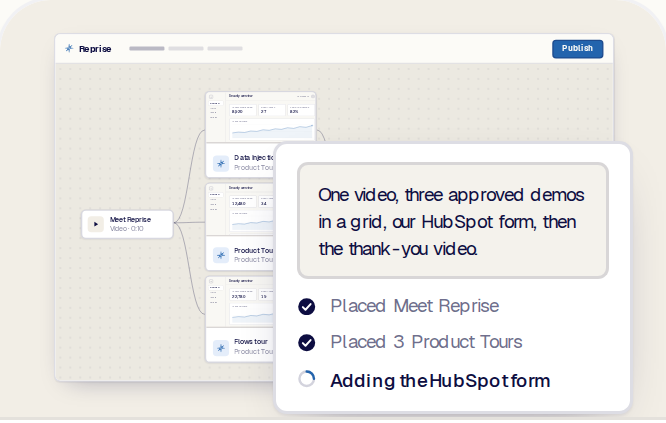
Tell the native agent what the experience should do, which approved assets to use, and how the buyer should finish.
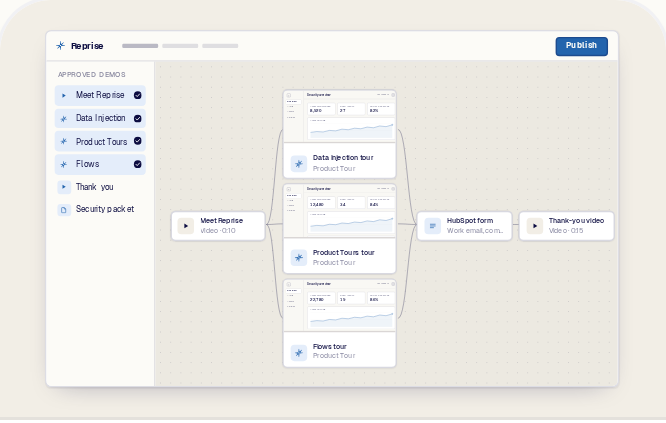
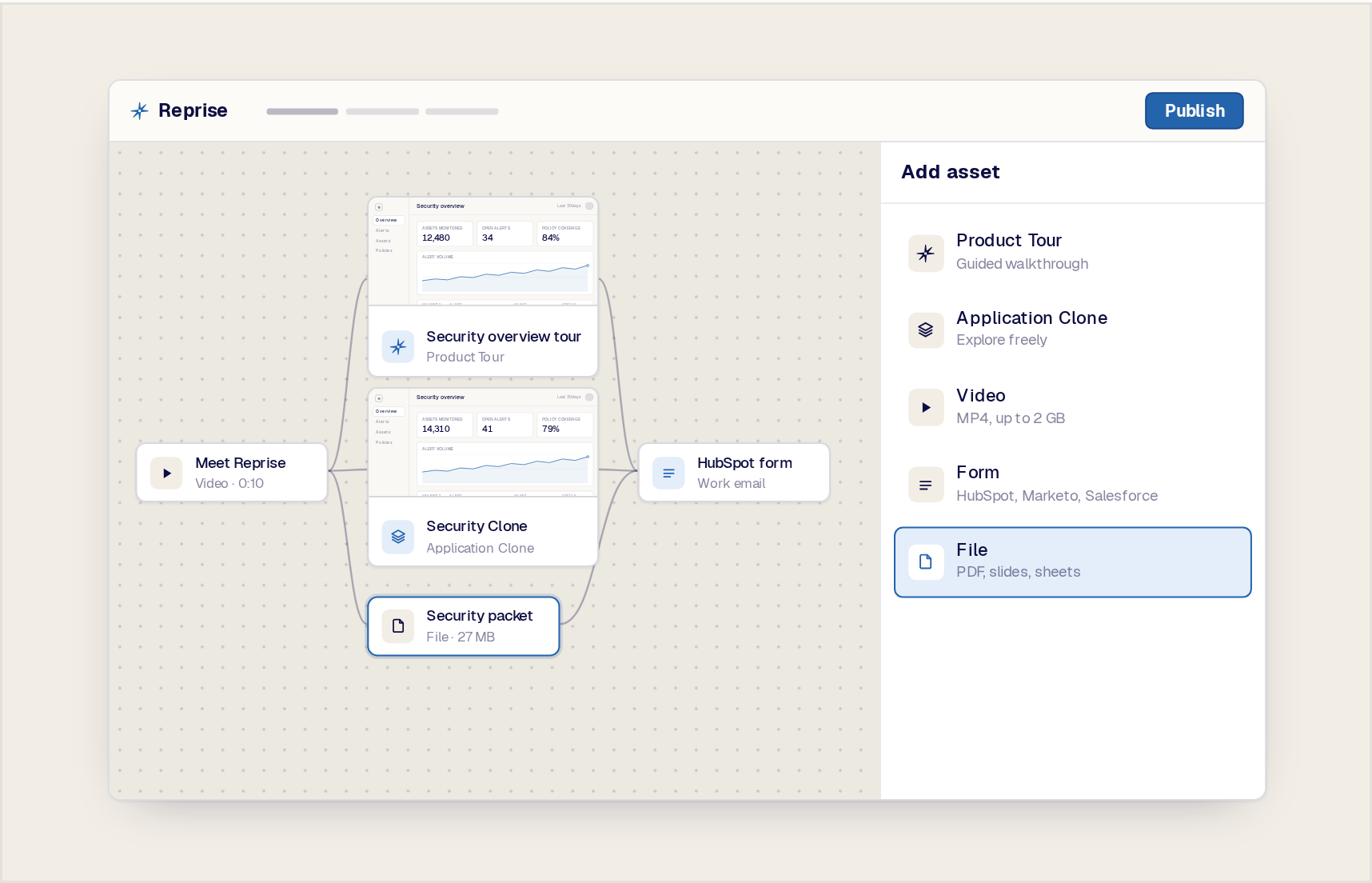
Let the agent reference the Product Tours, Application Clones, videos, questions, and File Assets already organized in a folder.
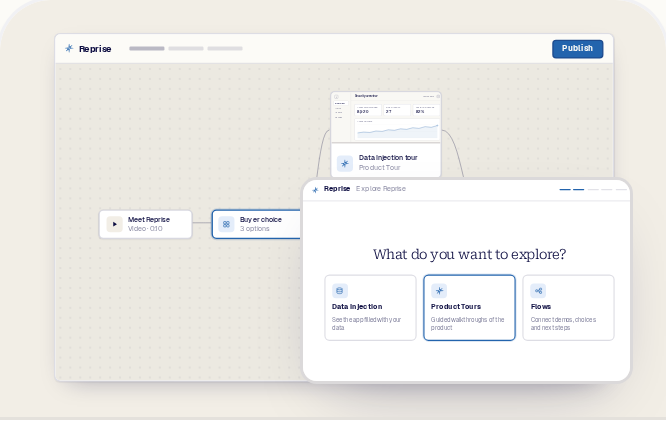
Use buyer input or supported context to decide which content appears next.
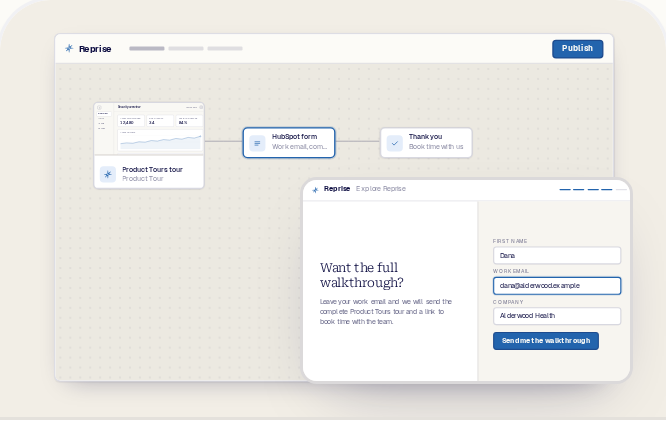
Place a native Reprise, HubSpot, or Marketo form after the relevant product experience, followed by a clear thank-you state.
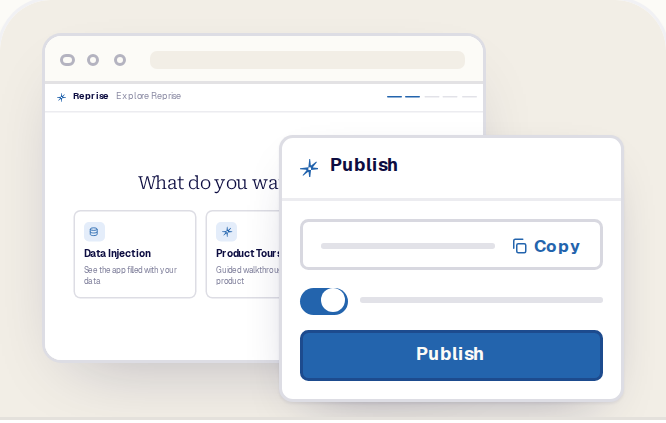
Publish the Flow and share it through the supported link, embed, campaign, follow-up, or Sales Room destination.
Use AI to accelerate the first structure without giving up control over the assets, logic, and buyer experience.
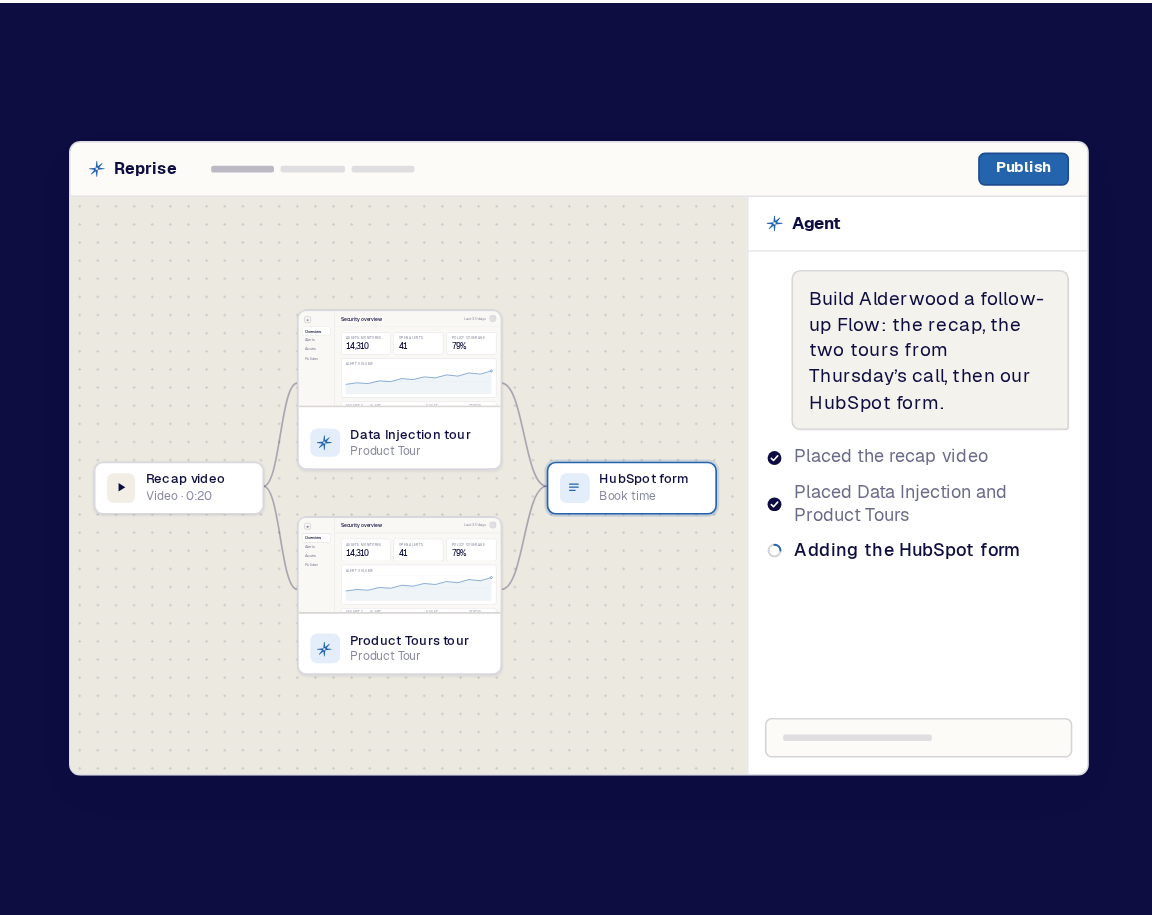
Describe the audience, available assets, desired journey, and next action to the native Reprise agent. It can create the initial structure directly on the Flow canvas.
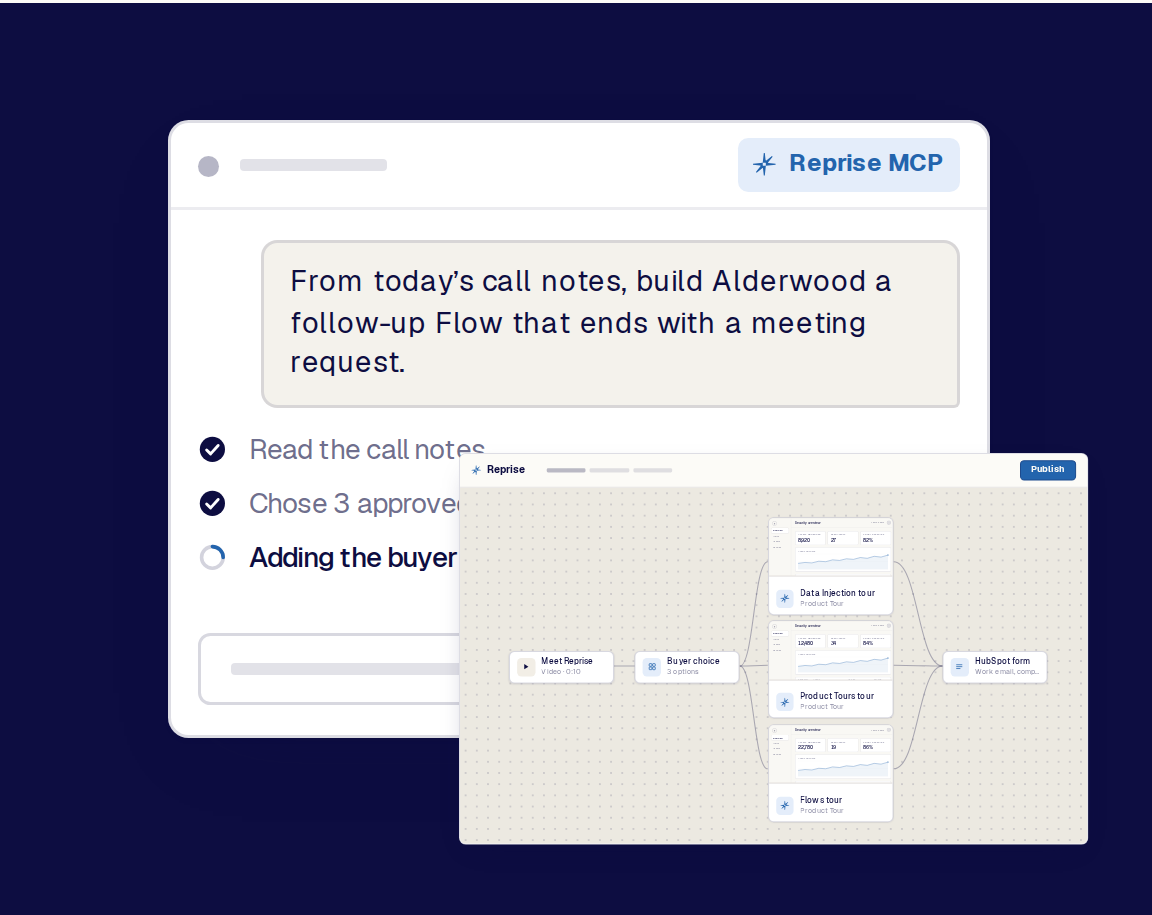
Use Reprise MCP from Claude, ChatGPT, Copilot, or another supported agent. Let the agent use account, call, campaign, and asset context to assemble a relevant Flow inside the workflow the team already uses.
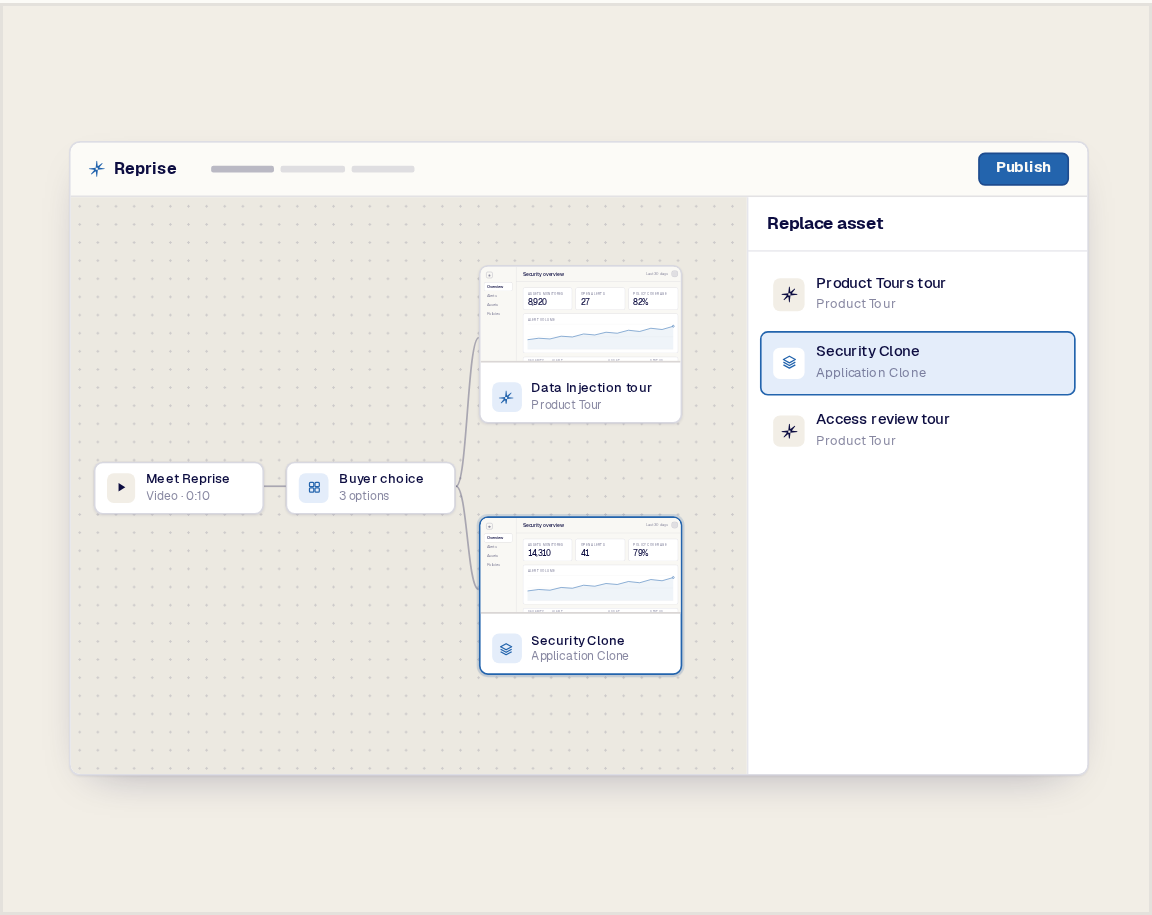
Inspect the generated canvas, then adjust the assets, order, descriptions, forms, and final actions with or without AI.
A Flow can combine the product experiences and supporting content needed to move a buyer from introduction to action.
Use a short video to frame the problem. Let the buyer choose what matters. Show the matching Product Tour or Application Clone. Add supporting content only where it helps. End with the right next step.
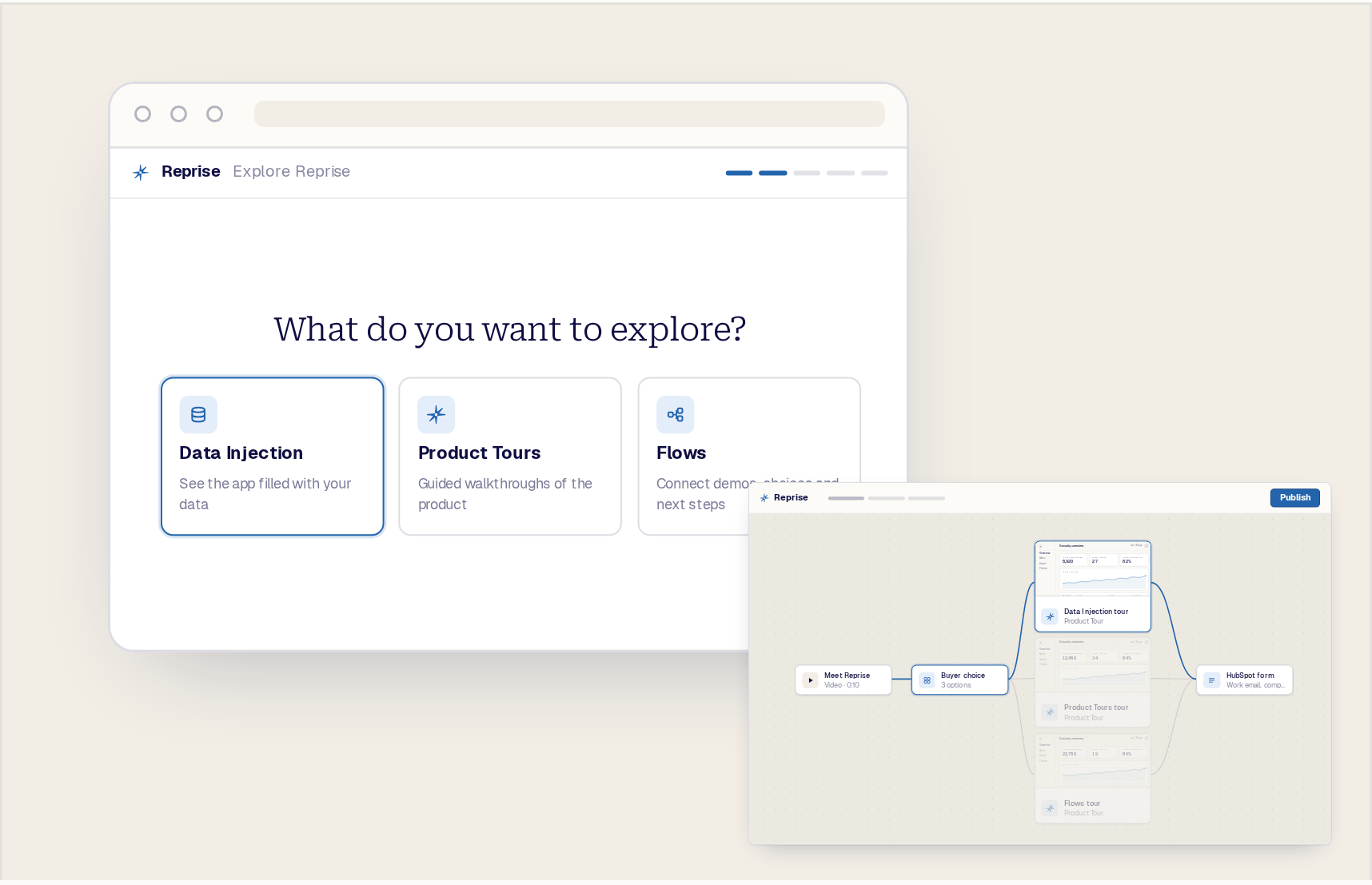
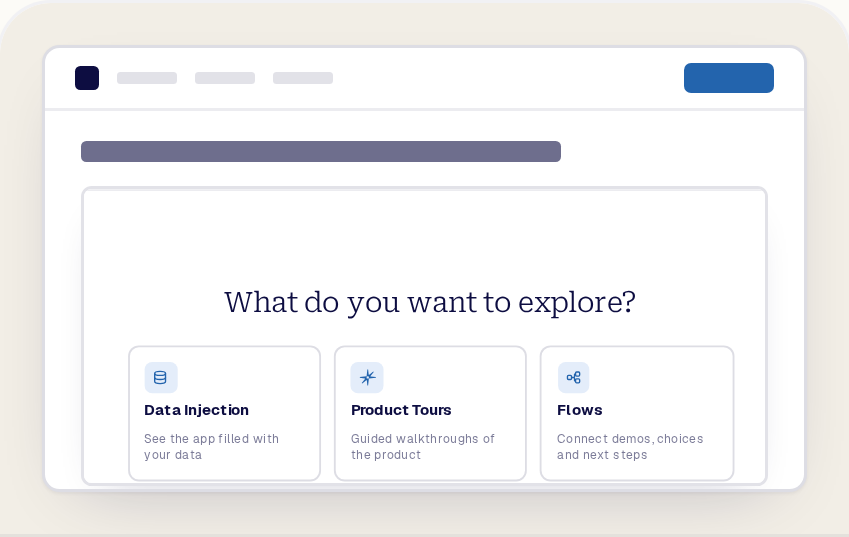
Instead of forcing every visitor through the same sequence, ask a focused question and use the response to guide the buyer toward the most relevant product experience.
A choice can reflect the buyer's priority, role, industry, use case, challenge, or level of technical depth. The result is a shorter, more useful journey that feels designed for the visitor.
The buyer does not receive more content. The buyer receives the right path through it.
Place the conversion step after the content that creates the interest. Ask for contact information, offer a meeting, route the buyer to a trial, or continue into another approved experience.
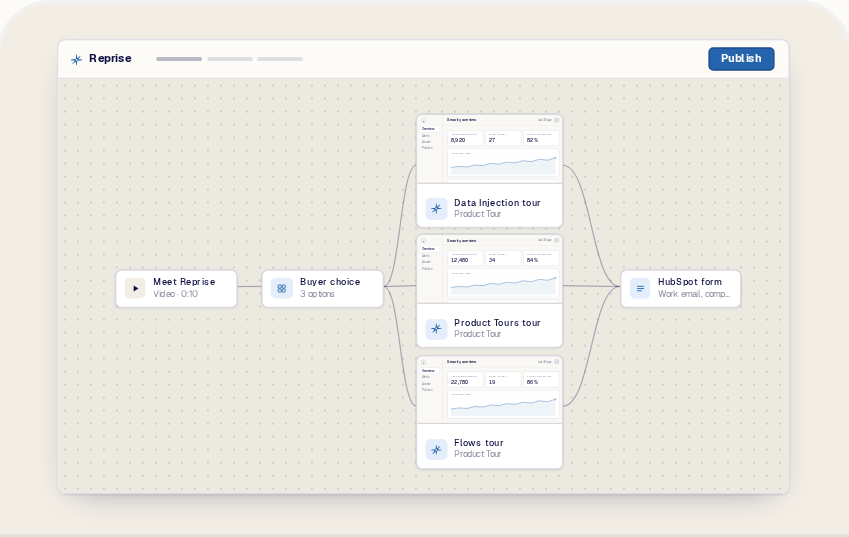
Flows makes the next action part of the journey instead of sending the buyer away to find it. Intro video → buyer choice → relevant Product Tour → HubSpot form → thank-you page.
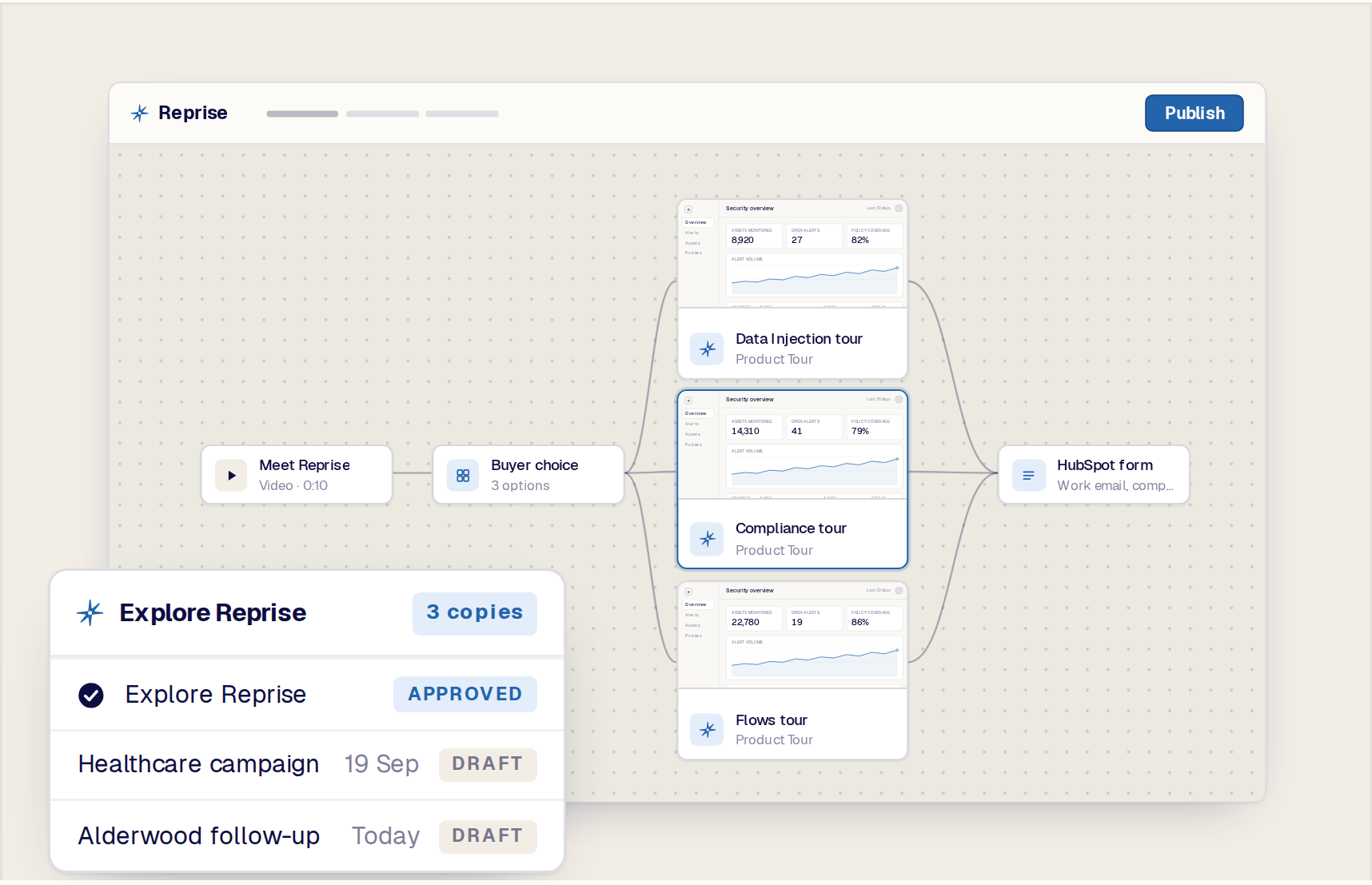
Start from an approved Flow and adapt it for another product, campaign, audience, event, or deal. Replace one asset, change a branch, adjust the introduction, or use a different form without rebuilding the full experience.
This gives marketing, sales, and solution engineering a consistent foundation while leaving room for the buyer context that makes the experience relevant.
The most useful journey begins with the buyer context already captured in call notes, campaign data, CRM information, or an agent conversation.
Use Reprise MCP to make supported Flow-building actions available to a preferred agent. The agent can propose the assets and path, while the team reviews and controls the final experience in Reprise.
Let prospects choose the product story that matters to them, then move directly into the next conversion step.
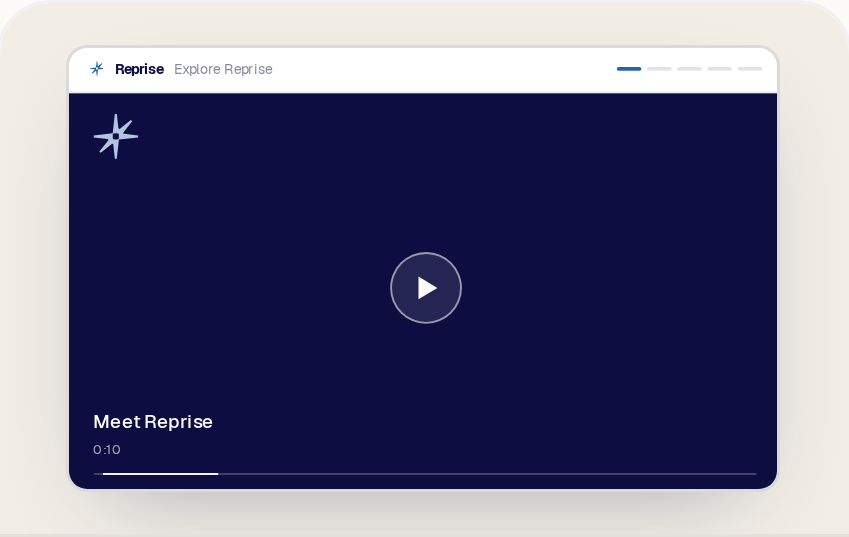
Use one link to connect an introduction, the relevant demo experience, and a clear follow-up action.
Package the assets discussed on the call into a guided leave-behind the champion can revisit and share.
Create a reusable company-level Flow that introduces Reprise, asks what the buyer wants to explore, routes to the matching premade content, and ends with a form or next step.
Flows sits between the product experience and the ongoing deal. Data Injection prepares the right data story. Product Tours and Application Clones deliver the product experience. Flows connects those assets into a personalized path. Sales Rooms organize the continuing deal content and follow-up.
Each remains a distinct Reprise product. Their connection is the platform advantage: Reprise can orchestrate the actual product experience, not only the content around it.
Reprise turns the product experiences your team already builds into a personalized journey that guides the buyer toward the next right step.
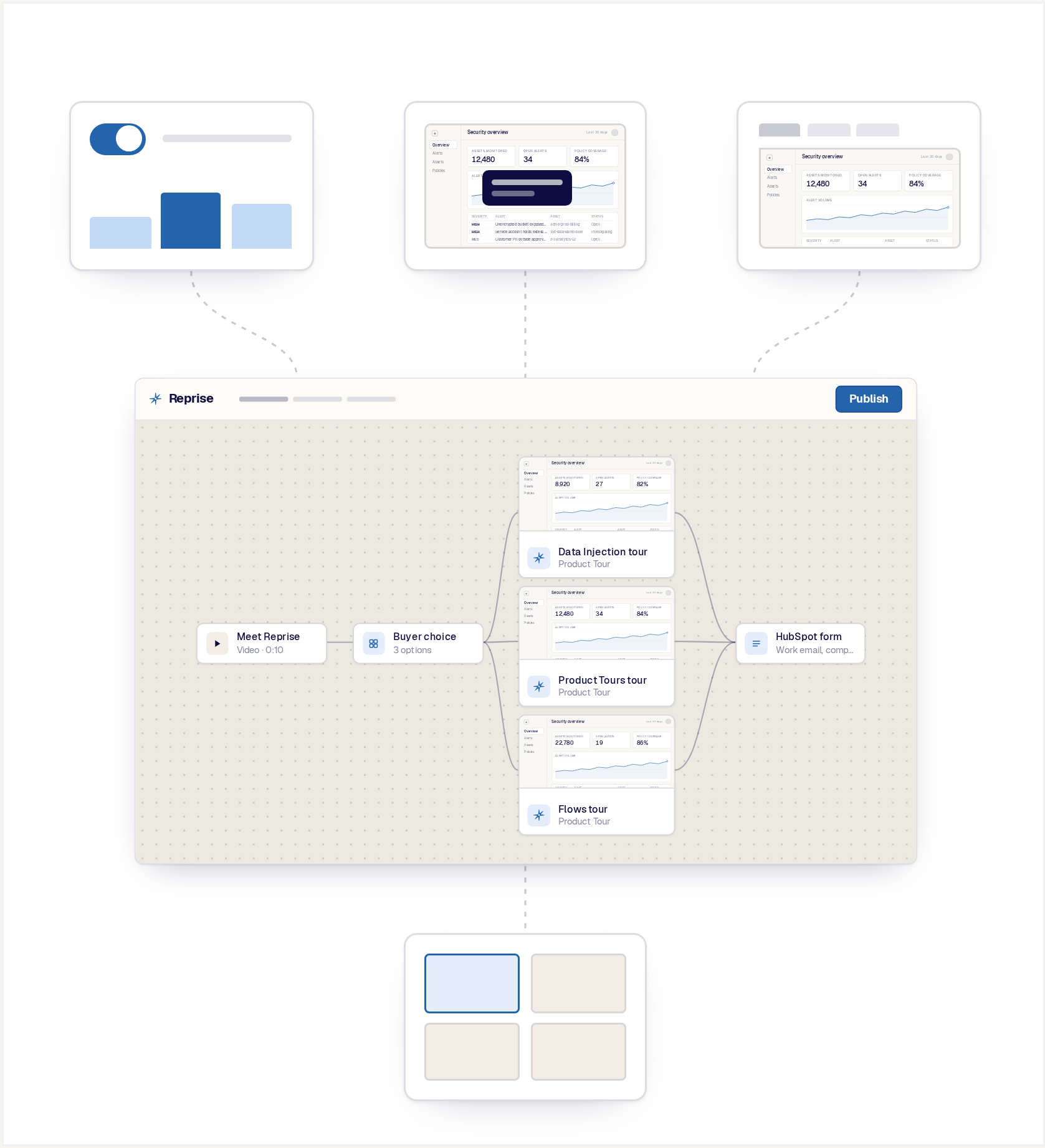
Create, govern, publish, and measure Flows across teams, products, campaigns, regions, and buyer audiences.
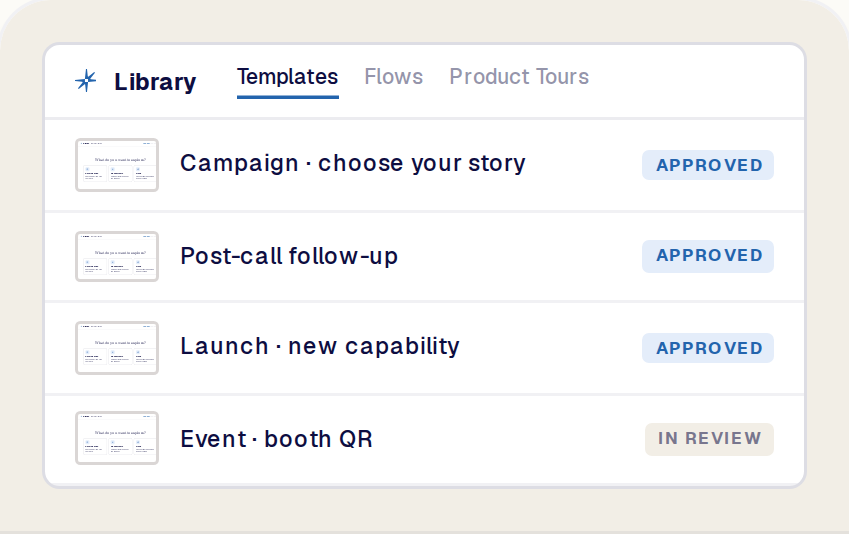
Give teams reusable structures for common campaigns, follow-up, launches, events, and sales motions.
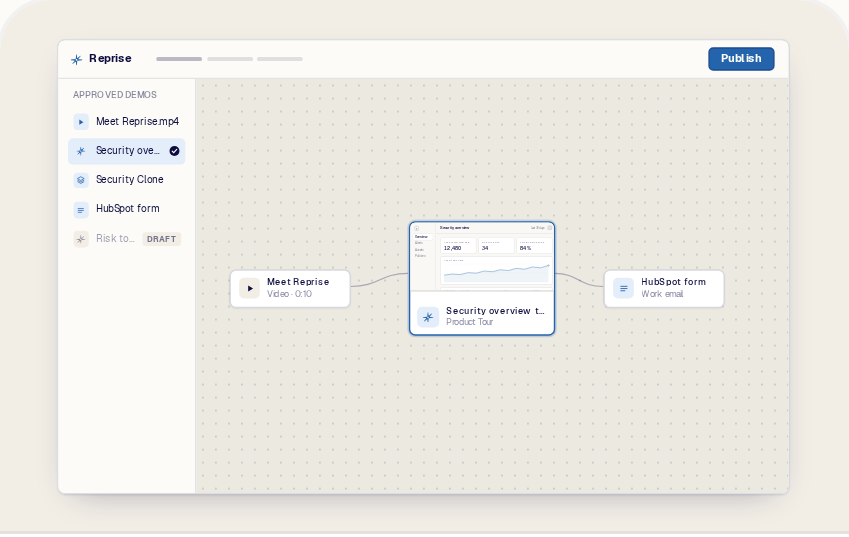
Control which approved Product Tours, Clones, videos, forms, and other assets can be used.
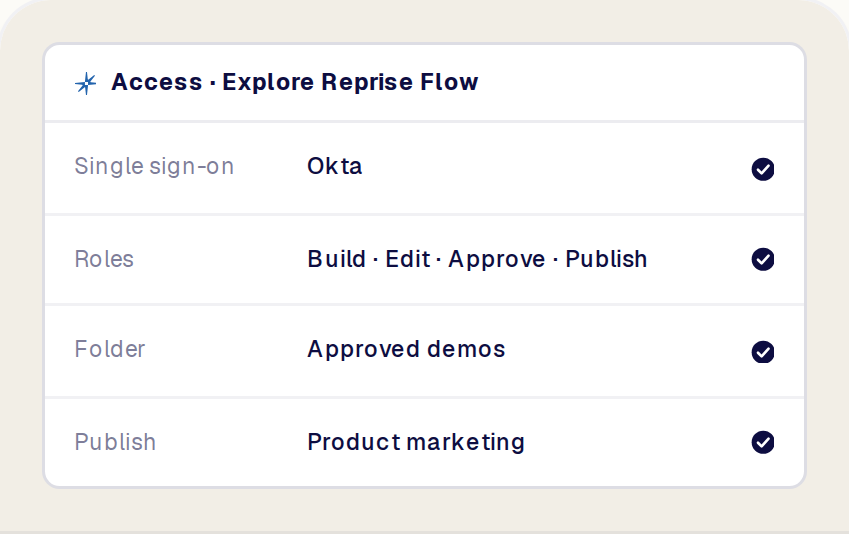
Use role-based and folder-level controls to define who can build, edit, approve, publish, and view each Flow.
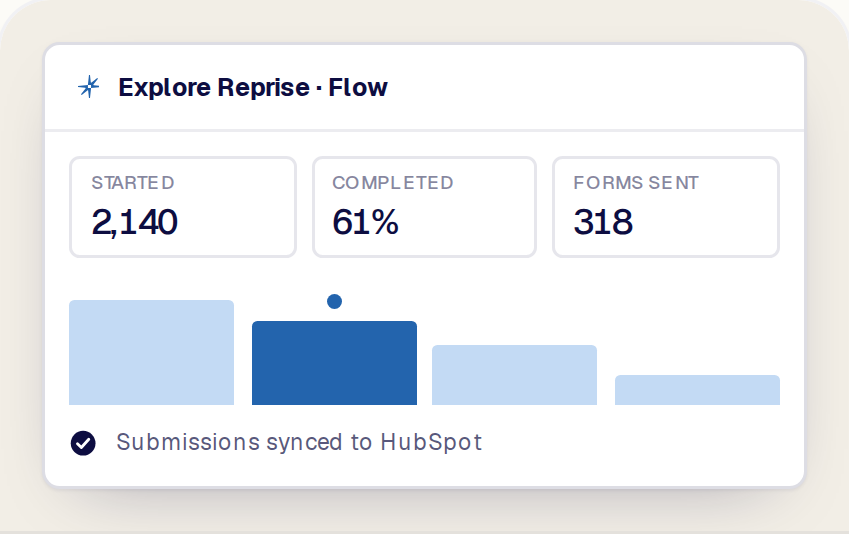
Measure engagement across the journey and connect supported buyer signals to the systems used by sales and marketing. See Integrations.
A Reprise Flow is a buyer-facing journey that connects demos, videos, questions, forms, and next steps into one experience. The team arranges the assets and logic on a visual canvas, then publishes the resulting path for the buyer.
A Flow can be linear or branch based on buyer input and supported context. It is designed to guide the buyer from introduction to the most relevant product experience and then toward an appropriate next action.
A Product Tour is a guided, interactive experience inside or around the product. It explains a specific workflow or story using captured product screens, guides, hotspots, media, and interaction.
A Flow orchestrates multiple assets and steps. A Product Tour can be one part of a Flow alongside video, buyer questions, forms, or other content. The Product Tour explains the product story; the Flow decides where that story appears in the wider buyer journey.
A Flow guides a buyer through a designed sequence or branching journey. It controls what appears next based on the structure and choices in the experience.
A Sales Room is the ongoing destination for deal-specific content, participants, and follow-up. A Flow can be shared through or included with a Sales Room, but each serves a different purpose.
A Flow connects supported Reprise demo assets and other interactive steps: Product Tours, Application Clones, videos and narrated content, buyer questions and selectable choices, forms, CTAs, File Assets from approved folders, and completion pages.
Product Tours and Clones play as native parts of the journey rather than as links out of it.
Yes. A Flow can use branching to route buyers toward different content based on a choice or other supported condition. A buyer interested in data personalization can receive a Data Injection tour while a buyer focused on shareable walkthroughs receives a different experience.
The example at the top of this page is exactly that: one question, three paths, one shared ending.
No. A priority grid is one example of a buyer-choice component that can appear inside a Flow. The capability is the ability to add an interactive decision point and route the buyer toward relevant content.
How the choice looks is a design decision inside the Flow, not a separate product capability.
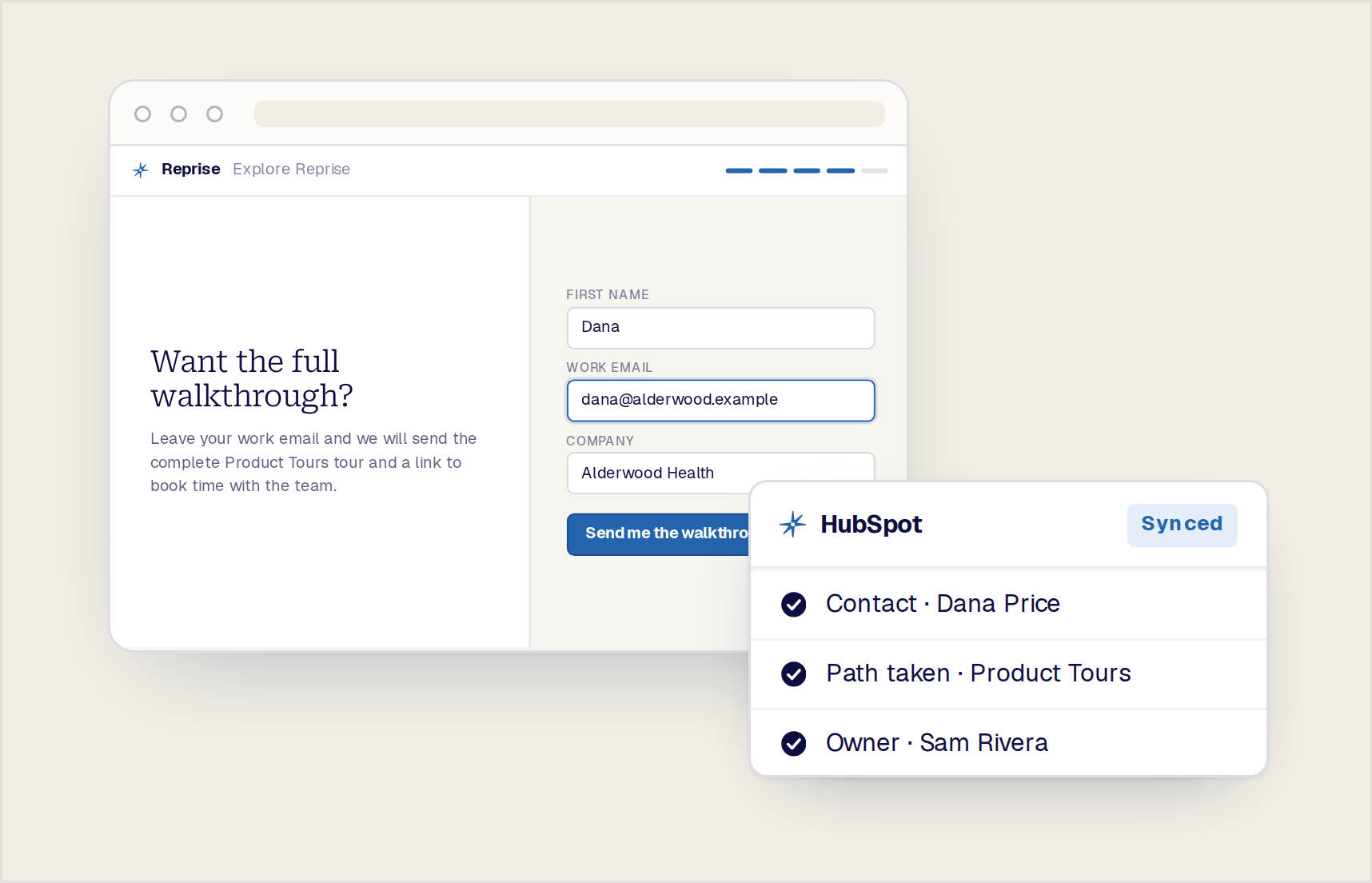
Yes. Flows support native Reprise forms as well as HubSpot and Marketo forms, so the conversion step can write straight into the systems your sales and marketing teams already use.
The example Flow on this page uses a HubSpot form followed by a thank-you page.
Yes. AI is not required to customize and improve the finished experience. Teams can inspect the canvas and use the editing controls to adjust the assets, order, descriptions, forms, and output.
The experience becomes significantly faster with the native Reprise agent, which creates the initial structure from a plain-language prompt. Teams can also use a preferred agent through Reprise MCP, then review and refine the result in Reprise.
Reprise MCP makes supported Flow-building actions available to compatible AI agents. A team can work from an agent that already has account, call, campaign, or asset context and ask it to propose or create a buyer journey.
The Flow remains in Reprise, where the team can inspect the canvas, change the assets and logic, approve the output, publish it, and measure engagement.
Yes. Teams can use an approved Flow as the starting structure for multiple campaigns, products, industries, personas, regions, events, or deals. They can replace selected assets, change a branch, adjust the introduction, or use a different conversion step while preserving the main journey.
Approved Flow templates in the library give every team the same starting point.
Teams can update or replace a Product Tour, Clone, video, form, or other Flow step without rebuilding the entire journey.
Update the asset, review the Flow, and republish; the structure and the rest of the path stay as they were.
Flows support websites, campaigns, events, outbound, live-call follow-up, standard leave-behinds, and Sales Rooms. The published experience gives the buyer one clear entry point into the journey, as a link or an embed.
The same Flow can be reused across those destinations without being rebuilt for each one.
Flow analytics show which path a buyer chose, which assets they opened, where they stopped, whether they completed the journey, and whether they submitted a form or selected a CTA.
Supported buyer signals connect to the sales and marketing systems your team already uses. See Analytics and Integrations.
Reprise Flows orchestrate the product experiences already created across the Reprise platform. Product Tours and Application Clones become native parts of a journey alongside videos, questions, forms, and next steps.
Teams can build with native Reprise AI, bring Flow creation into a preferred agent through MCP, and refine the finished canvas with or without AI. The result is more than a video sequence: it is a personalized path from product interest to action.
