
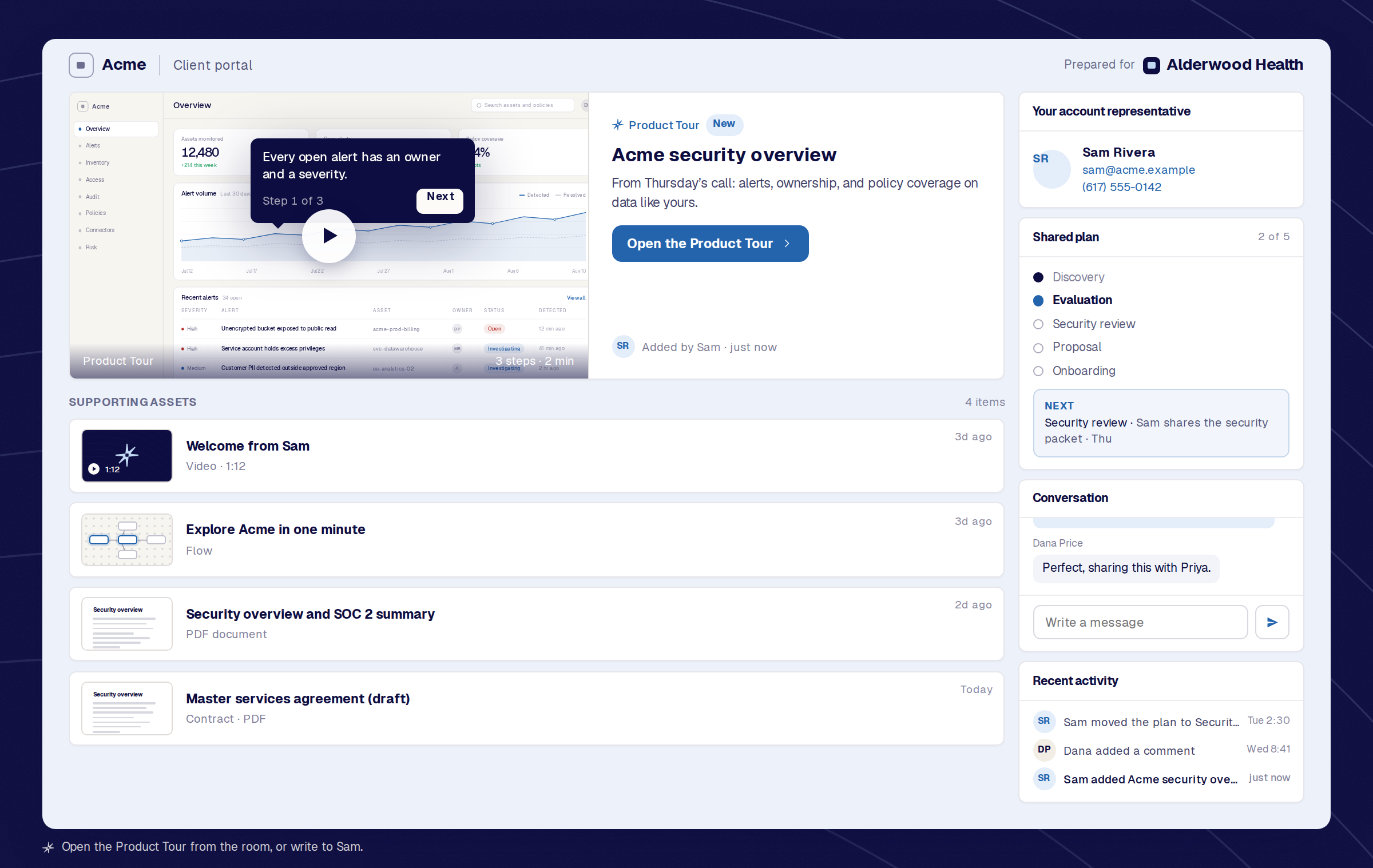
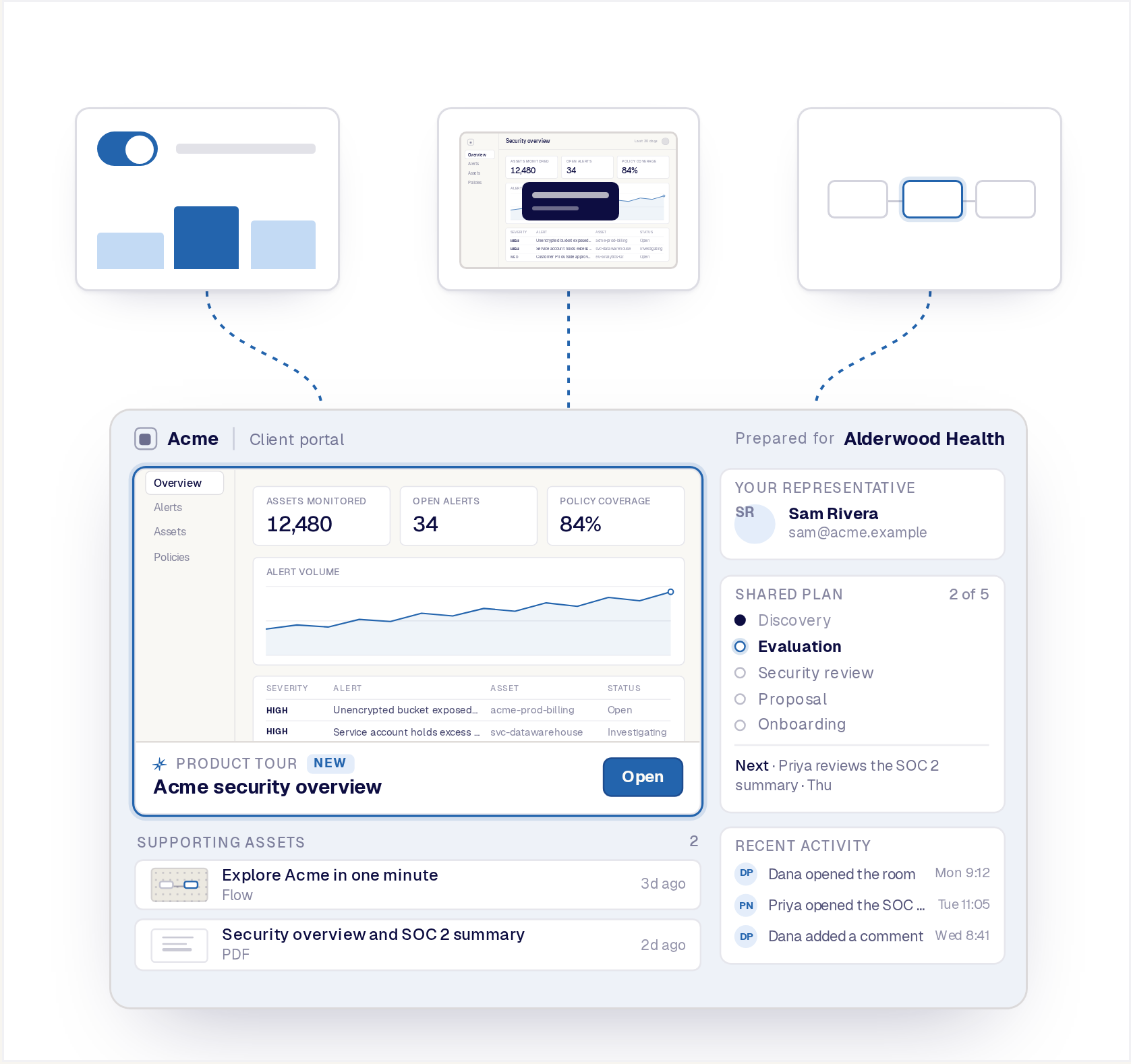
This is a Reprise Deal Room from the buyer's side. Add the Product Tour from the call, open it, then write to Sam in the conversation.
A Reprise Deal Room gives every buying team one branded place for the product experience, supporting content, shared plan, conversation, and next steps.
Give the buying team one place to experience the product, review supporting information, understand the plan, and take the next step.
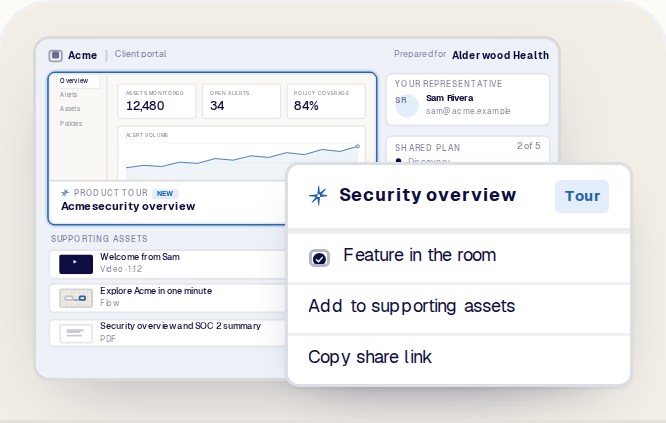
Make the relevant Product Tour, Application Clone, or Flow the center of the room so the buyer can revisit and share the story that created interest.
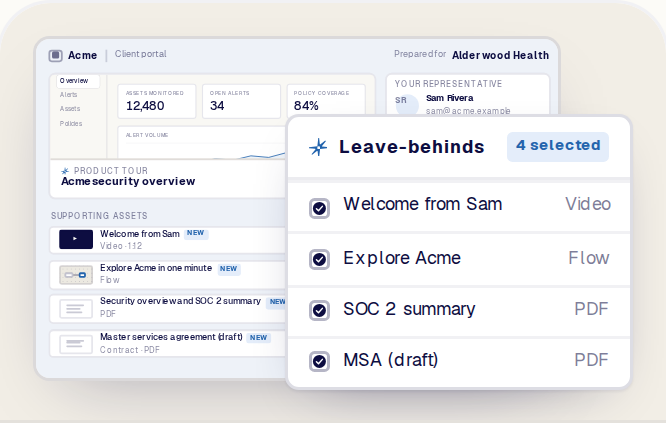
Select approved videos, PDFs, security documents, contracts, and other supported content from Reprise folders.
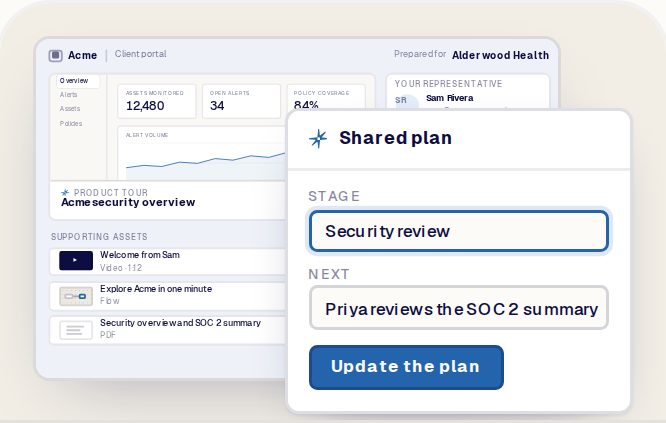
Create customer-facing stages or a mutually agreed plan that makes the current step, owner, and next action clear.
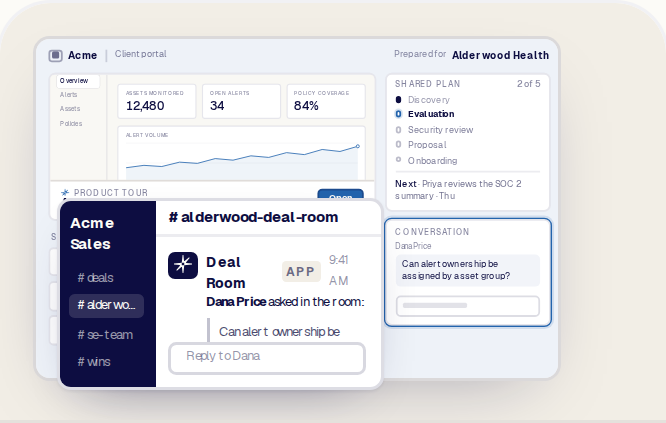
Let buyers ask questions in the room while the account team follows the conversation through supported Slack mirroring.
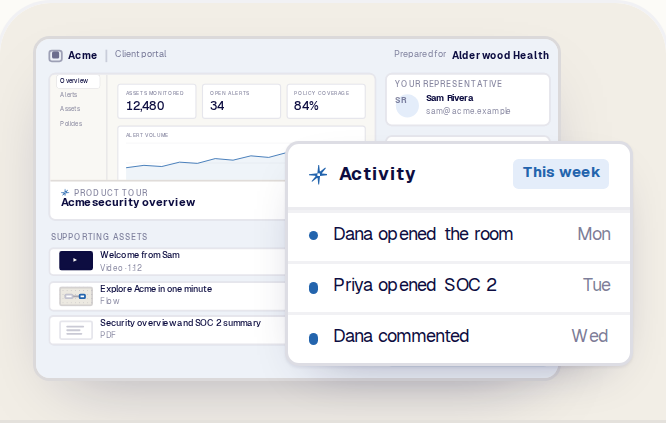
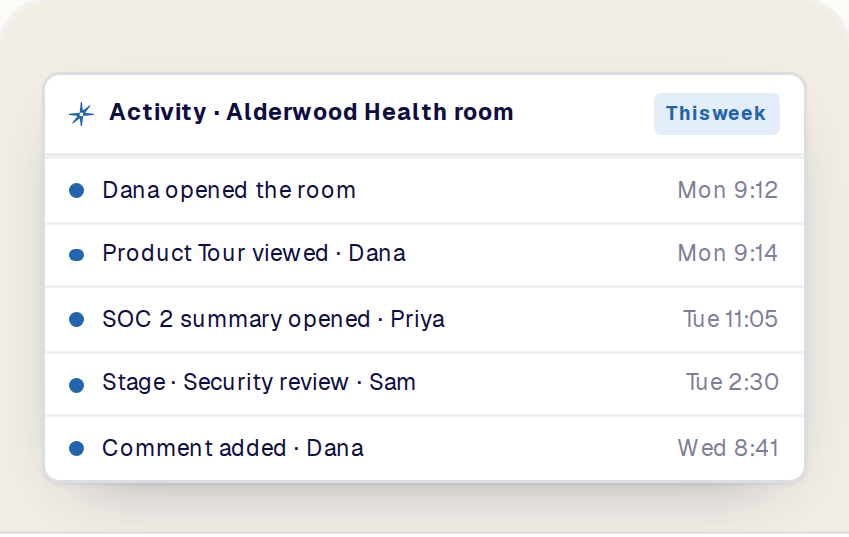
Use the room's activity history to understand what happened and continue the deal with context.
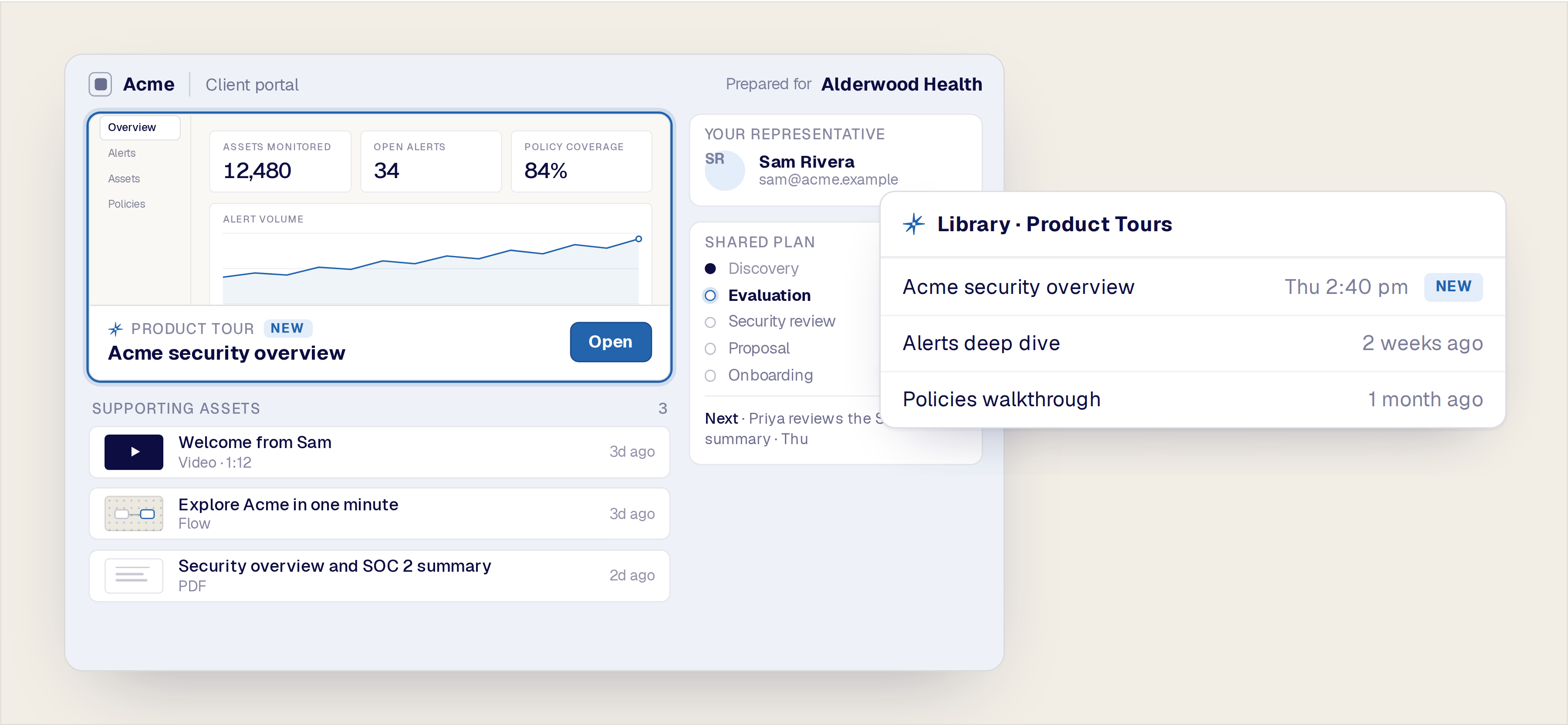
The demo should not disappear when the call ends. Put the experience created or discussed during the meeting directly into the Deal Room, next to the information the buying team needs to evaluate it.
This turns follow-up into a continuation of the product story rather than a separate collection of attachments.
The call ends. The product experience keeps working.
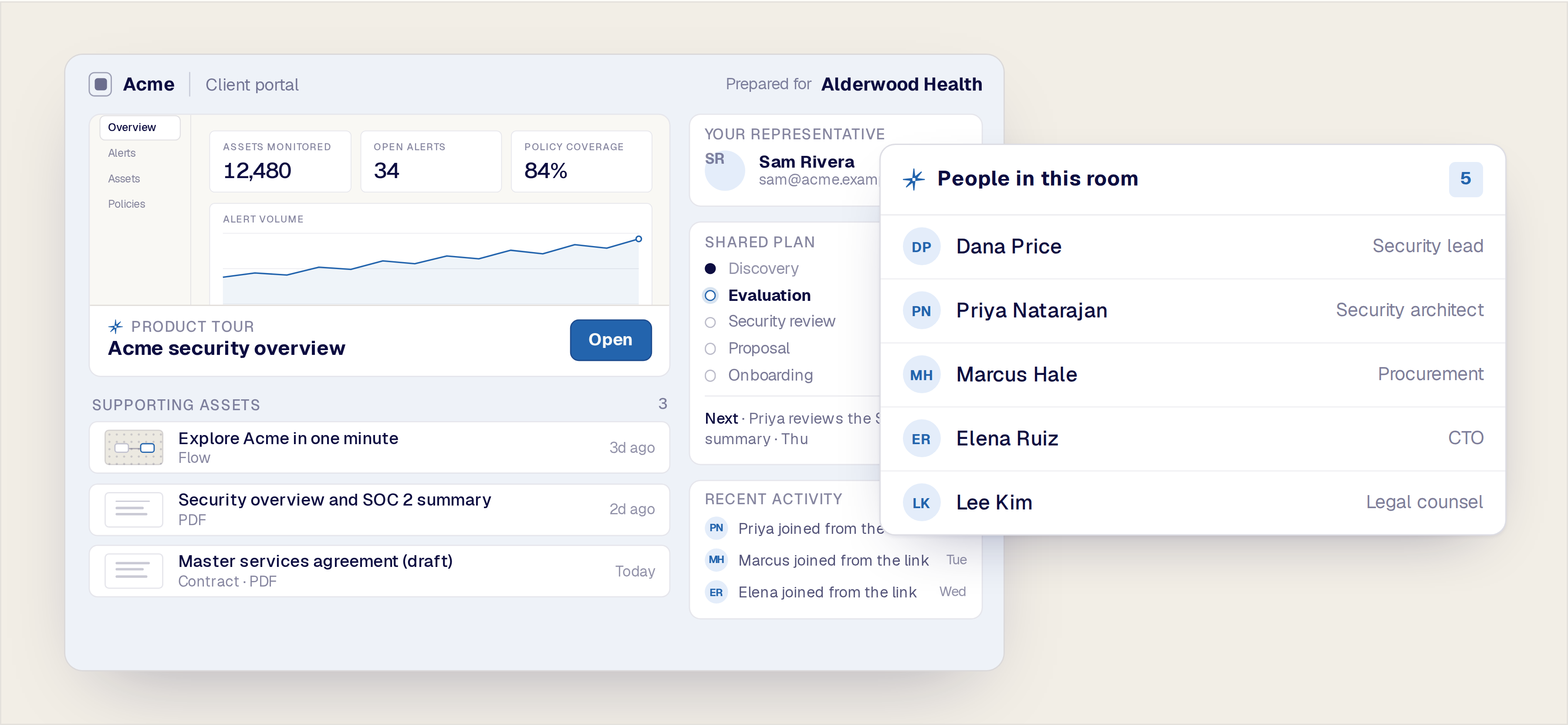
A champion should be able to share one destination with technical evaluators, security, procurement, executives, and other decision-makers.
Organize the room so each person can quickly find the product experience, proof, documents, and next step relevant to the evaluation.
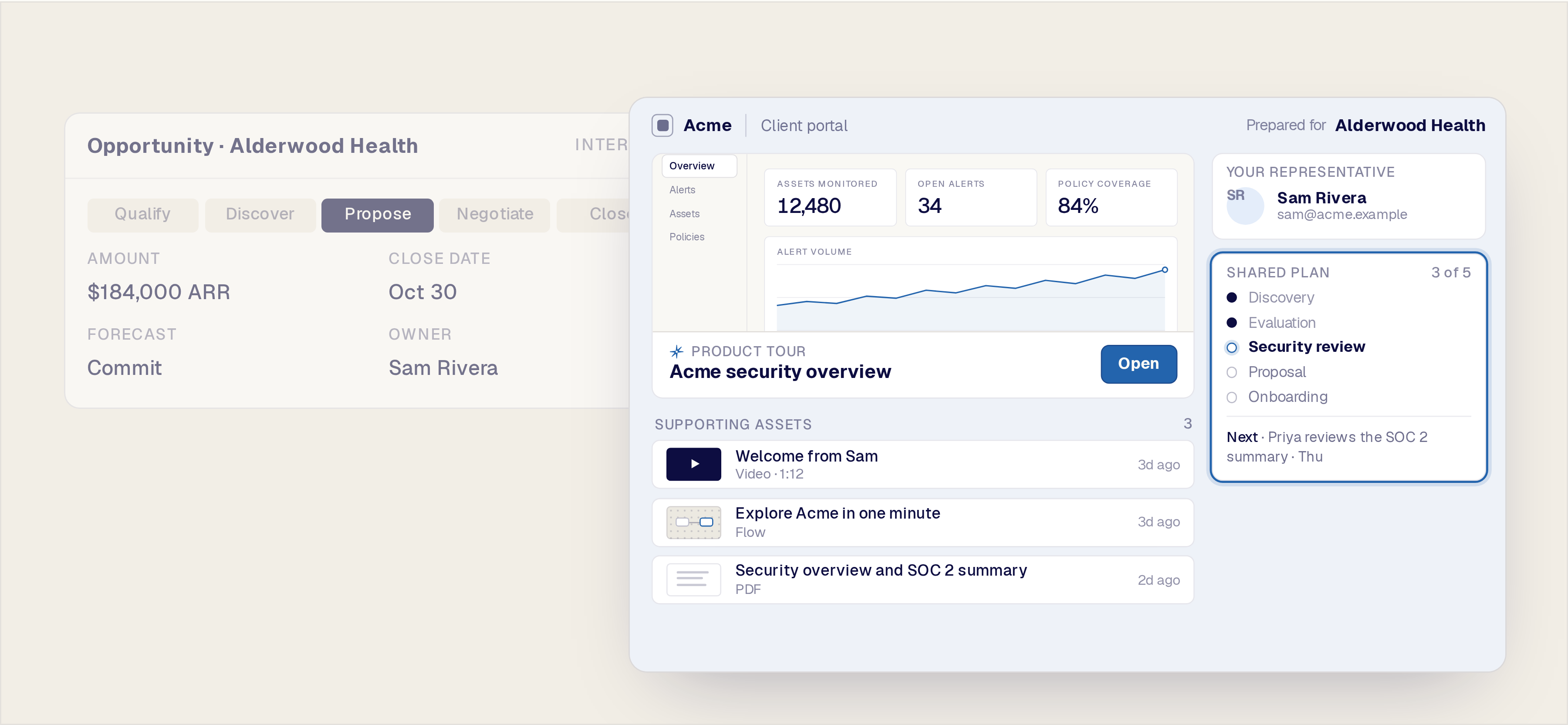
Your CRM stage is designed for the internal sales team. The buyer needs a clear, shared view of what has happened, what comes next, and who owns each action.
Use customer-facing stages or a mutually agreed plan to create that shared understanding without exposing internal notes or pipeline language.
Share the path forward, not your internal pipeline.
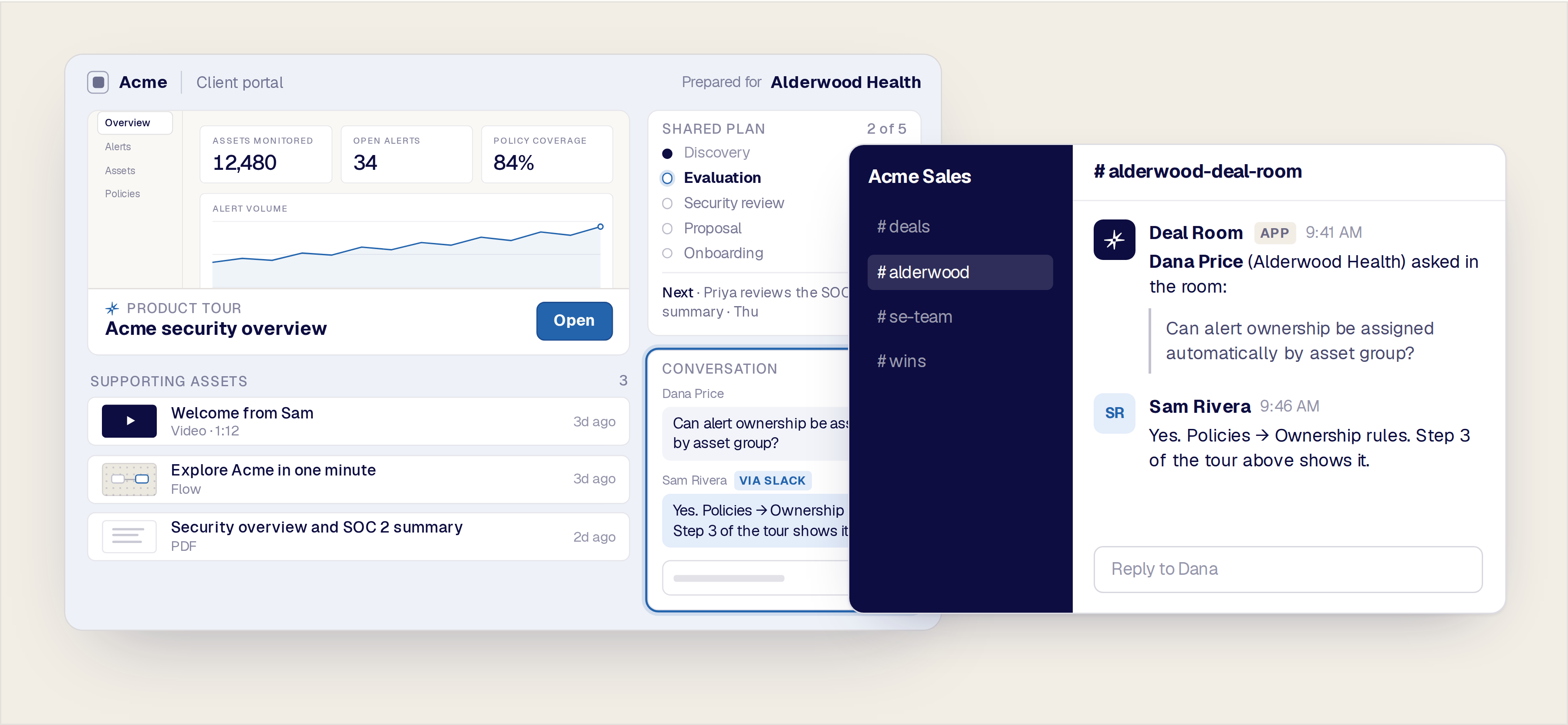
Keep questions beside the demos and content that created them. With supported Slack mirroring, the buyer can communicate from the Deal Room while the account team sees the conversation in the channel where it already works.
A reply from the channel appears back in the room, so the buyer never has to leave it.
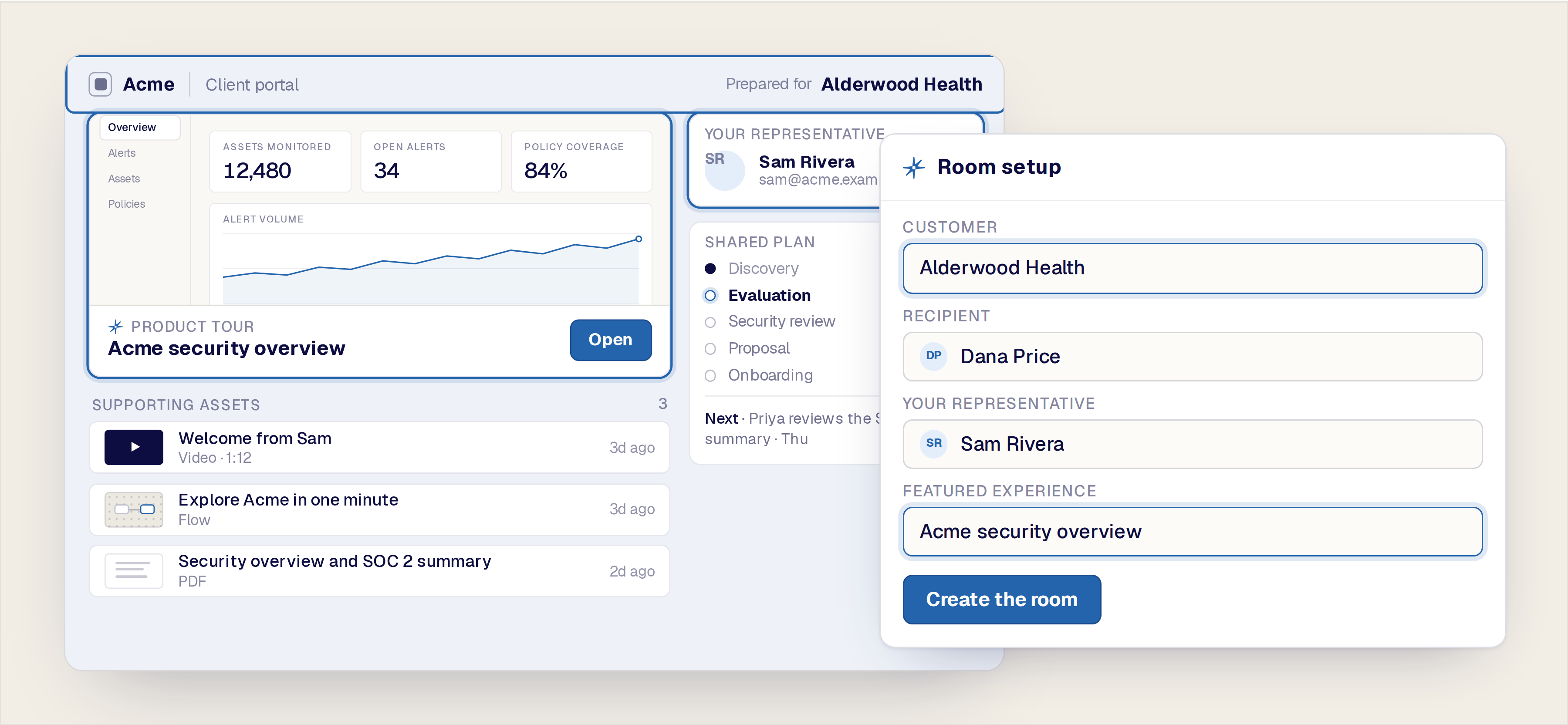
Configure the customer identity, recipient, seller, logos, assets, categories, shared stages, and access needed for that buying process.
The result should feel intentionally prepared for the customer without forcing the seller to build a new website or manually assemble another follow-up package.
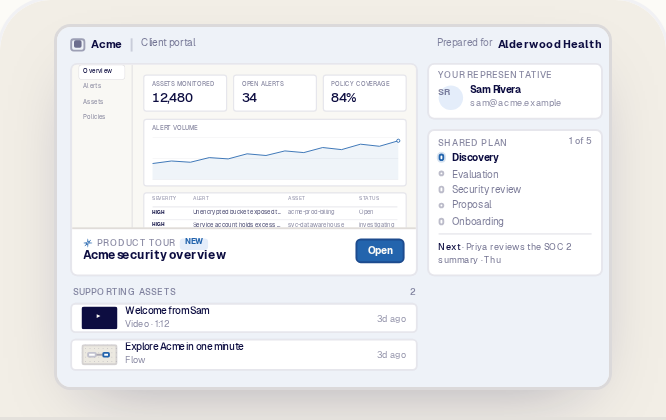
The same room, at five points in the same deal.
Share the Product Tour or asset created during the call alongside the standard Reprise leave-behind and a clear next step.
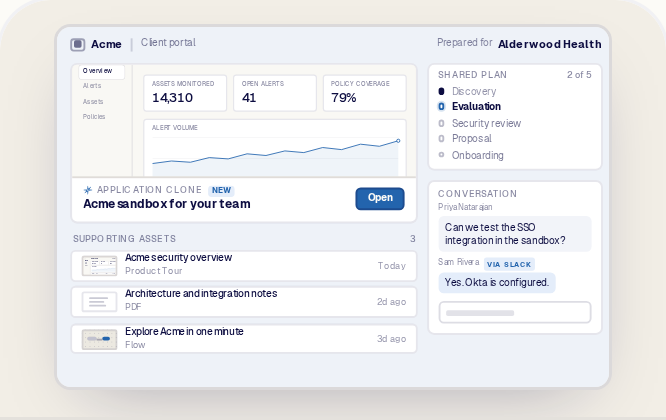
Keep the interactive product experience, supporting technical documents, questions, and evaluation stages together.
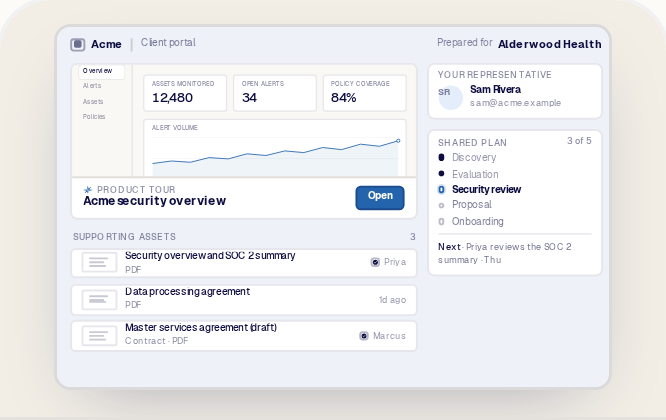
Organize the required security materials, contracts, owners, and shared progress without burying the original product story.
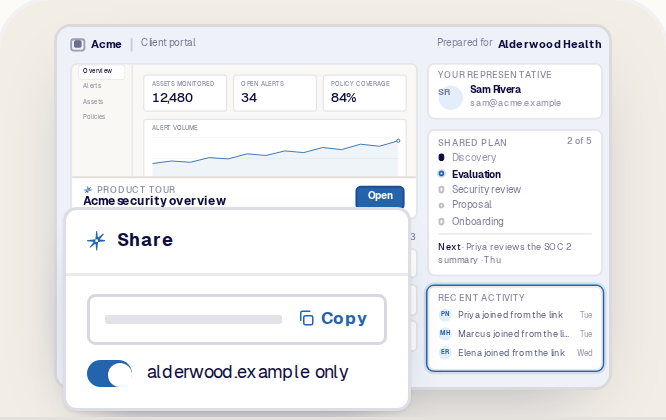
Give the champion one polished destination to share internally instead of asking them to forward multiple emails and links.
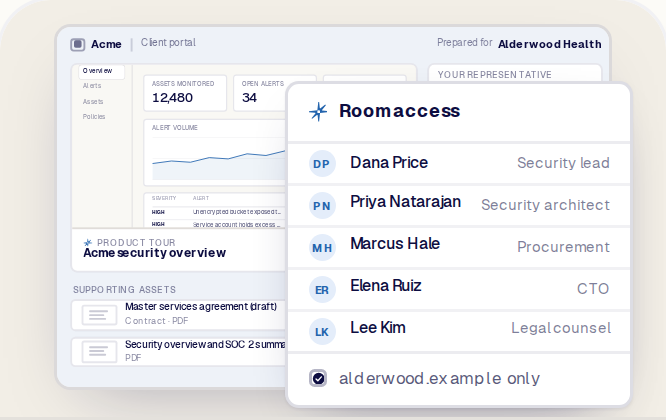
Create a common source for product, security, procurement, executive, and legal stakeholders while using supported access controls where needed.
Data Injection prepares the right data story. Product Tours and Application Clones deliver the product experience. Flows guide the buyer through a personalized sequence. Deal Rooms keep the relevant experiences, people, plan, and next steps together throughout the deal.
Each remains a distinct Reprise product. Their connection is the platform advantage: the asset created during the sales process moves straight from its Reprise folder into the buyer's room, beside the approved leave-behind content.
A Deal Room built on Reprise does not link out to the demo. The demo is in the room.
Create, govern, and manage buyer-facing rooms across sales teams, regions, products, and customer segments.
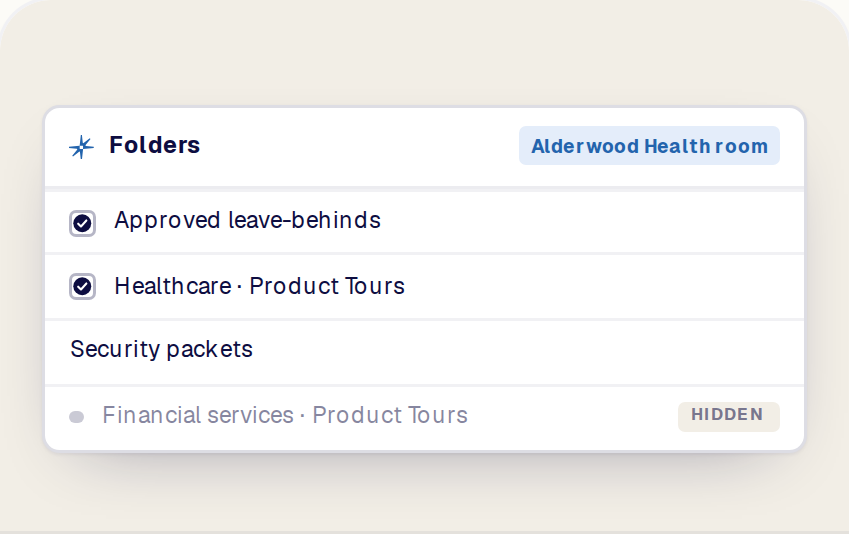
Give sellers access to the correct Product Tours, Clones, Flows, videos, documents, and contracts without exposing every asset in the organization.
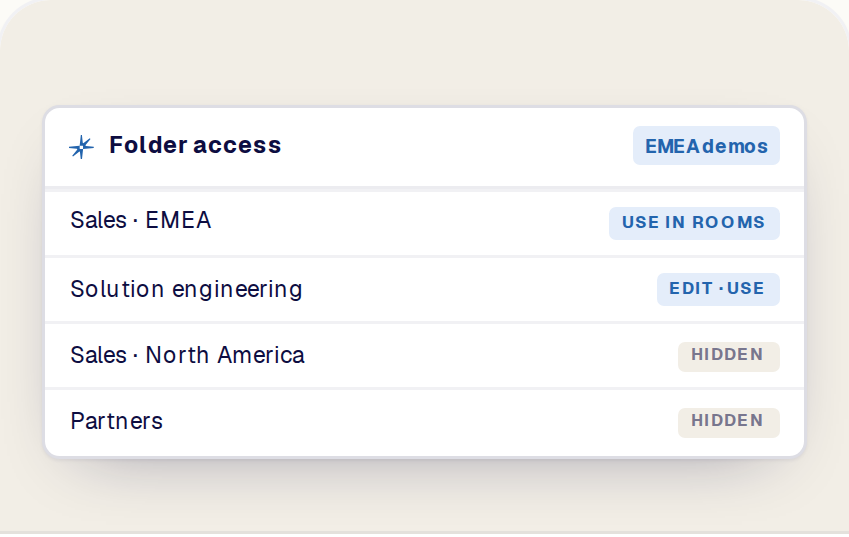
Control which teams can use regional, product-specific, or sensitive asset collections independently of broad role permissions.
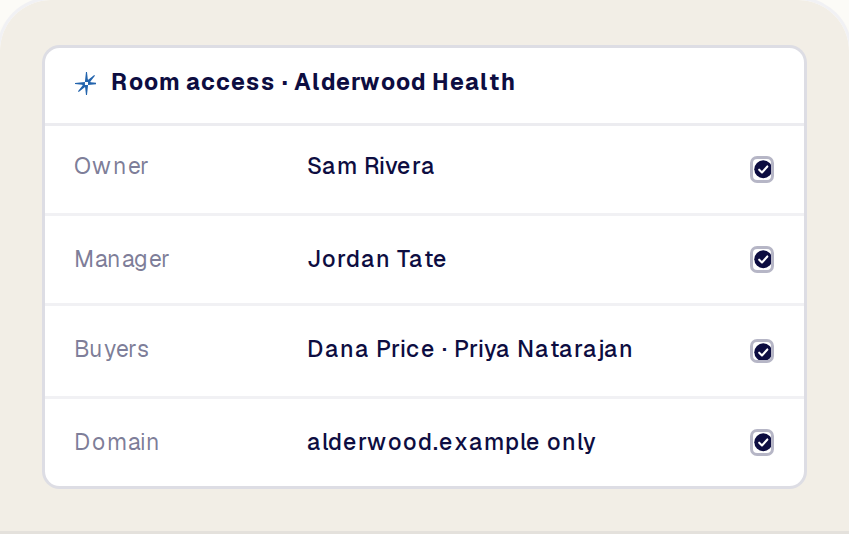
Use verified role-based controls, custom roles, and room access settings to define who can build, manage, and view each experience.
Follow verified buyer activity and connect supported signals or conversations to the systems used by the account team. See Integrations.
A Reprise Deal Room is a branded, buyer-facing digital sales room that brings interactive product experiences, supporting content, conversation, a shared plan, and next steps into one destination.
The seller configures the room for the customer and the deal. The buying team returns to the same space throughout the evaluation instead of searching across emails, links, and attachments.
A Deal Room can include supported Reprise assets and sales content such as Product Tours, Application Clones, Flows, videos, PDFs, security documents, contracts, and other File Assets.
Interactive Reprise experiences open inside the room. Documents and other files are presented as cards the buyer can open or download from the same place. The exact list of supported types is confirmed for your account during setup.
A Product Tour is an interactive experience that explains a product workflow or story. It is one asset the buyer can experience.
A Deal Room is the wider destination around the buying process. It can contain a Product Tour alongside other demos, content, conversation, shared stages, activity, and next steps.
A Flow guides the buyer through a designed sequence or branching journey. It controls which experience appears next based on its structure and supported buyer choices.
A Deal Room is the persistent home for the deal. It organizes the relevant experiences, documents, people, plan, and conversation over time. A Flow can be included in or shared through a Deal Room where supported.
No. A content portal primarily gives the buyer access to files and links. A Reprise Deal Room is designed around the product experience and the work required to move the evaluation forward.
It combines interactive demos with supporting content, a customer-facing plan, conversation, seller and buyer context, and activity history.
The Deal Room is a buyer-facing destination. Opening it does not require access to your underlying product environment, and the demos inside it run on Reprise rather than on your production application.
How buyers enter a room, whether by invitation, work email, a link limited to their domain, or another supported option, is set per room and confirmed for your account during setup.
Yes. A room carries your company identity and the customer context: the buying company, the recipient, your representative, logos, and the room configuration.
The room on this page shows that setup: Acme’s portal, prepared for Alderwood Health, with Sam as the representative. How branding is set, globally, through a template, or per room, is confirmed for your account.
A mutually agreed plan is a customer-facing view of the stages, responsibilities, and next actions needed to complete an evaluation or buying process.
It helps the seller and the buyer share the same understanding of progress. It does not have to expose or match the internal opportunity stage used in your CRM; the separation is intentional.
Yes, where supported. A message written in the Deal Room conversation appears as a Slack message and thread in the account team’s channel, so the team follows buyer questions from a workflow it already uses, and a reply from the thread appears back in the room.
Slack setup, channel behavior, notifications, and permissions are configured for your workspace. See Integrations.
Deal Rooms include an activity history that shows what has happened in the room over time: who opened the room, which assets and Product Tours were viewed, conversation, participants joining, and stage changes.
Timestamps, identity, and notification behavior follow your room configuration and are confirmed for your account.
The recommended workflow is to start from an approved room structure, then adjust the customer, assets, plan, and next step for a specific deal.
How that starting point is provided, through templates, duplication, defaults, or approved folders, is confirmed for your account.
Reprise supports platform governance including role-based access control (RBAC) and folder-level access controls. Folder-level ACL controls which asset collections different teams can use in their rooms, independently of broad role permissions.
Room access settings define who can build and manage a room and which invited buyers can view it. See Security.
The Reprise platform includes a native AI agent and Reprise MCP for compatible agents. The Deal Room actions available through each are confirmed by the product team before they are described here.
Room setup, asset selection, the shared plan, and conversation settings can always be configured directly in Reprise.
Reprise Deal Rooms are built around interactive product experiences created across the Reprise platform. Product Tours, Application Clones, and Flows stay central to the buyer journey instead of becoming links buried among documents.
The room then connects those experiences to the supporting assets, shared plan, conversation, and activity needed to move the deal forward.
