



Table of Contents
Live demos are a performance, and even the best actors need a script.
We built Presenter Notes because a great demo environment is only half the battle. You still need a human to navigate it smoothly. And humans are fallible: a curveball question can throw them off their talk track, or they can forget where to click next.
But buyers aren’t as forgiving as they used to be. 81% of sellers admit to losing a deal due to a bad demo.
That’s where a safety net comes in.
The “Google Slides” Experience for Your Product
If you’ve ever presented a slide deck, you know the comfort of “Presenter View.” Your audience sees the polished slides. You see your notes, your timer, and what comes next.
We believe live demos deserve that same experience.
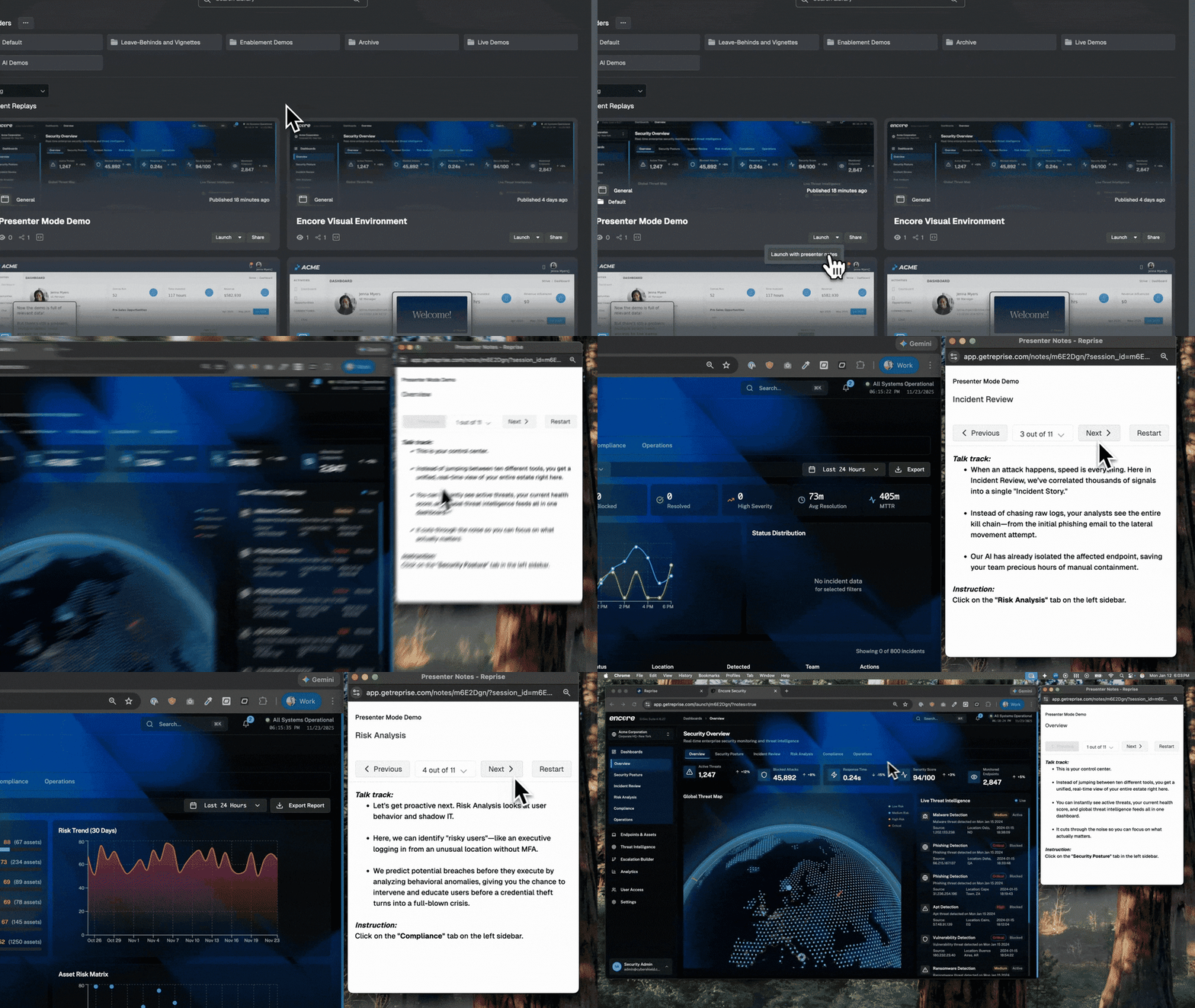
With Presenter Notes, you get a dedicated, hidden window that only you can see. It runs alongside your demo environment and acts as your command center without breaking the immersion for the prospect.
Scale the “Perfect Pitch” to AEs
Scaling presales often stalls because of the knowledge gap. You have AEs who want to do the first call demo, but they worry about getting lost in the product or something not working.
Presenter Notes acts as their guardrails.
You can load the hidden window with word-for-word scripts or high-level bullet points. An AE can walk through a complex flow with the confidence of a seasoned Solution Engineer because the instructions — “Click the blue button, then mention the 3x ROI stat” — are right there in front of them.
Keep SEs on Track Under Pressure
For Solutions Engineers, the problem usually isn’t knowing how to click through the product. It’s remembering the nuance.
When you juggle stakeholder questions and technical troubleshooting, it’s easy to default to “feature dumping.”
Use Presenter Notes to keep yourself honest. Instead of a script, populate your notes with specific triggers:
- Discovery Prompts: “Stop here. Ask how they currently handle data export.”
- Value Reminders: “Don’t just show the chart. Explain how this reduces reporting time by 50%.”
- Technical Notes: “Wait 3 seconds for this specific API call to load.”
The Takeaway
The product should be the star of the show. But the person giving the demo is the director.
Presenter Notes gives you the control to direct that show. Whether you are an AE doing your first walkthrough or a veteran SE handling a technical deep dive, you shouldn’t have to rely on memory alone.
Get a demo to see Presenter Notes in action!